What Is Direct Attached Storage? How DAS Works and Its Benefits
Direct Attached Storage, commonly called DAS, is one of the simplest and most widely used ways to add storage capacity to a computer, server, or workstation. Unlike network-based storage systems, DAS connects directly to the device that uses it through an interface such as USB, SATA, SAS, Thunderbolt, or PCIe. This direct connection can provide strong performance, simple setup, and predictable access without requiring a dedicated storage network. Businesses and individuals use DAS for backups, media production, local databases, server expansion, high-capacity file storage, and many other workloads. Although cloud storage and network-attached storage have become increasingly common, DAS remains important because of its speed, simplicity, and cost efficiency. Understanding how Direct Attached Storage works helps organizations choose the right storage architecture for performance, capacity, and operational needs.
What Is Direct Attached Storage?
Direct Attached Storage is a storage system that connects directly to a computer or server without relying on a network for data access. The storage device communicates with the host system through a dedicated physical connection such as SATA, SAS, USB, Thunderbolt, or another supported interface. Because the storage is attached directly, the computer typically recognizes it as a local disk or collection of disks. Users can store files, applications, backups, databases, and other data without sending storage traffic across a local area network. This straightforward architecture is one of the reasons DAS has remained popular for decades. It provides storage capacity close to the system that needs it.
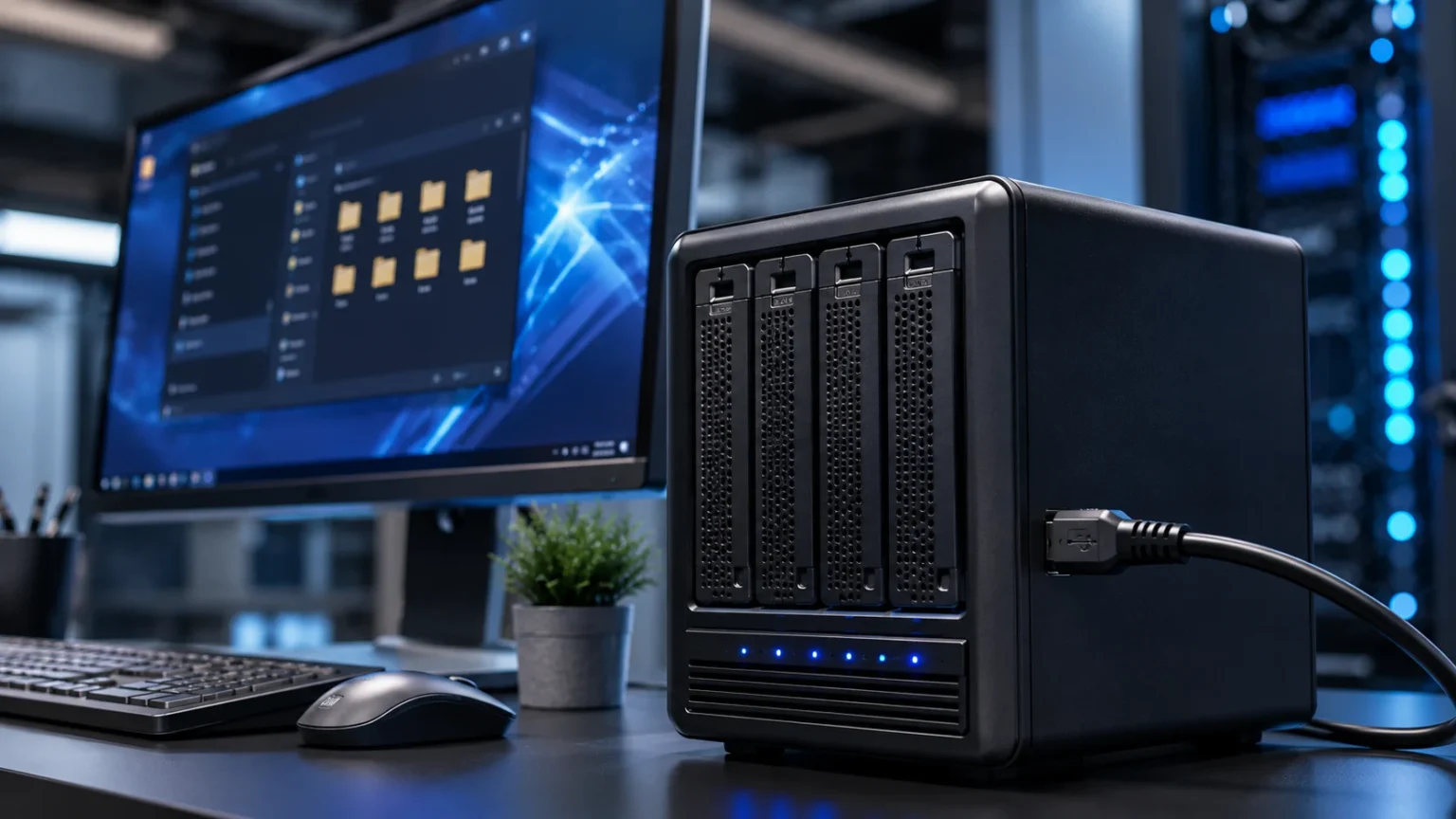
A Direct Attached Storage device can be as simple as an external hard drive connected to a laptop or as advanced as a multi-drive enclosure attached to an enterprise server. Internal hard drives and solid-state drives can also be considered forms of directly attached storage because they communicate directly with the host system. In business environments, DAS often refers to external disk arrays connected through high-speed interfaces. These arrays may contain multiple HDDs or SSDs and can support RAID configurations for performance or redundancy. The specific design depends on the workload and capacity requirements. This broad definition means DAS can serve both personal computing and professional data center environments.
DAS differs from Network Attached Storage, or NAS, because a NAS system is accessed over a network. It also differs from a Storage Area Network, or SAN, which provides block-level storage through specialized network infrastructure. With DAS, there is normally no network layer between the host and the storage device. That makes the architecture simpler and can reduce latency. However, it also means that the storage is usually tied more closely to one computer or server. Sharing the same storage directly among many independent systems can therefore be more difficult. These differences make DAS particularly suitable for workloads where one host needs fast and reliable access to dedicated storage.
The term “direct attached” does not necessarily mean that only one physical drive is involved. A DAS enclosure can contain several drives arranged in RAID groups or other configurations. The host may see one large logical volume even though multiple physical disks are working together inside the enclosure. This allows organizations to increase capacity, improve performance, or add redundancy while still maintaining a direct connection. Some systems are designed for easy drive replacement, expansion, or hot swapping. Higher-end DAS units may also include hardware RAID controllers, monitoring features, and redundant power supplies. The architecture can therefore range from extremely simple to highly sophisticated.
Direct Attached Storage remains relevant because not every workload needs shared network storage. A video editor working with large media files may prefer local high-speed storage for faster access. A server running a specific application may need dedicated disks that are not shared with other systems. Backup servers may also use DAS to store large amounts of data economically. In these situations, introducing a NAS or SAN may add unnecessary complexity and cost. DAS provides a practical middle ground between basic internal storage and more elaborate networked storage architectures. Its continued use reflects the fact that simplicity and direct performance are still valuable in modern IT environments.
How Does Direct Attached Storage Work?
Direct Attached Storage works by creating a direct data path between the host system and the storage device. The computer or server communicates with the storage through a supported interface and controller. When an application needs to read or write data, the operating system sends storage commands through that connection. The DAS device receives the request, accesses the appropriate disk or solid-state storage, and returns the requested information. Because this process does not depend on network switches, routers, or storage protocols running across a LAN, the path is relatively simple. The actual performance depends heavily on the type of interface, storage media, controller, and workload being used.
The operating system usually treats DAS as local storage. An external SSD connected through USB or Thunderbolt may appear as another drive letter or mounted volume. A server connected to a SAS disk enclosure may see one or more block storage devices that can be partitioned and formatted. Applications generally do not need special knowledge that the storage is external. They interact with the file system or block device through normal operating system functions. This transparency makes DAS easy to deploy for many applications. Administrators can often add capacity without redesigning the network or introducing specialized storage protocols.
The performance of DAS depends partly on the connection interface. SATA has long been common for internal consumer and server drives, while SAS is widely used in enterprise environments because of its reliability and ability to support more advanced configurations. USB provides convenient external storage connectivity, and newer USB generations can deliver substantial bandwidth. Thunderbolt is popular for high-performance external storage used in creative and professional workflows. PCIe and NVMe technologies can provide even higher speeds when supported by the storage design. The interface should be fast enough to avoid becoming a bottleneck compared with the performance of the drives themselves.
Multiple-drive DAS systems often use RAID to combine physical disks into logical storage volumes. RAID configurations can improve performance, provide fault tolerance, or balance both goals depending on the selected level. For example, mirroring can duplicate data across drives, while striping can distribute data to increase throughput. Other RAID levels provide different combinations of usable capacity and protection. The RAID function may be handled by a hardware controller inside the enclosure or by software on the host. Administrators should remember that RAID is not the same as backup because certain failures, deletions, or ransomware events can affect all disks in an array.
When several applications use the same DAS device, the host operating system manages access to the storage. In most conventional configurations, other computers cannot directly mount the same DAS volume over the network unless the host shares it through file-sharing software or another service. At that point, the host effectively becomes responsible for providing network access to the storage. This can work for small environments but differs from purpose-built NAS architecture. DAS is therefore most efficient when storage demand is concentrated around one system. Its design favors direct, dedicated access rather than broad multi-user sharing across a network.
Types of Direct Attached Storage
Internal hard drives are one of the most familiar forms of DAS. A desktop computer or server may contain several HDDs connected directly to the motherboard or storage controller. These drives are often used for operating systems, application data, archives, and general file storage. Hard disk drives provide large capacities at relatively low cost per gigabyte, making them useful for workloads that prioritize capacity over maximum speed. Enterprise servers may use SAS hard drives for improved reliability and manageability. Although SSD adoption has increased significantly, HDD-based DAS remains common where large amounts of storage are required economically.
Internal solid-state drives represent another important type of Direct Attached Storage. SATA SSDs provide much faster access than traditional hard drives because they have no moving mechanical components. NVMe SSDs can deliver even higher performance by using PCIe connectivity and a protocol designed for low-latency flash storage. These drives are popular for operating systems, databases, virtual machines, gaming, creative applications, and other performance-sensitive workloads. In high-end servers, several NVMe drives can provide extremely high throughput and input/output performance. The main trade-off is that high-capacity enterprise SSDs can be more expensive than HDD alternatives.
External hard drives and SSDs are common forms of portable DAS. They typically connect through USB, USB-C, or Thunderbolt and can be used for backup, file transfer, media libraries, and additional workstation storage. External HDDs provide affordable capacity, while external SSDs offer faster performance and better resistance to physical shock. Many creative professionals use high-speed external SSDs when working with large video, photography, or audio projects. Portable DAS is also convenient because users can disconnect it and move it between compatible computers. However, frequent physical movement can increase the risk of loss, theft, or accidental damage, making encryption and backup important considerations.
Multi-bay DAS enclosures provide greater capacity and flexibility than single-drive external devices. These systems contain several HDDs or SSDs and connect to a host through interfaces such as USB, Thunderbolt, or SAS. Depending on the model, users may configure RAID levels to balance performance, capacity, and fault tolerance. Multi-bay systems are popular among video editors, photographers, small businesses, backup administrators, and server operators. Some enclosures support hot-swappable drives, allowing a failed disk to be replaced without shutting down the entire system. Higher-end units may also include monitoring tools, cooling systems, redundant controllers, or enterprise-grade components.
Server-attached disk shelves represent a more advanced form of DAS. These enclosures can contain large numbers of drives and connect directly to one or more server controllers, often through SAS. They are used in environments where applications require substantial local capacity but do not need a full SAN architecture. Backup repositories, data processing systems, surveillance storage, and large local databases are common examples. Administrators can scale capacity by adding additional disk shelves within supported limits. Because these systems are tightly integrated with the server, they can offer strong performance and relatively straightforward management. However, they still lack the broad shared-access flexibility associated with networked storage platforms.
Key Components of a DAS System
The storage media is the most obvious component of a DAS system. This can include hard disk drives, SATA SSDs, NVMe SSDs, or a combination of different technologies. The choice of media affects performance, capacity, reliability, power consumption, and overall cost. HDDs are often preferred for large archives and backup repositories because of their lower cost per terabyte. SSDs are better suited to workloads requiring fast random access and low latency. Some organizations use a tiered approach where high-performance data resides on SSDs while less frequently accessed information is stored on hard drives. Selecting the right media is one of the most important DAS design decisions.
The storage controller manages communication between the host system and the drives. In simple environments, the controller may be integrated directly into the motherboard. More advanced systems use dedicated RAID or host bus adapter cards. RAID controllers can combine several physical drives into logical volumes and may provide caching, redundancy, and monitoring features. Host bus adapters typically provide direct connectivity to SAS or other storage interfaces while leaving some management tasks to the operating system. Controller performance matters because it can become a bottleneck when many fast drives operate simultaneously. Enterprise deployments should therefore match controller capabilities with expected throughput and input/output requirements.
The physical interface or connection is another critical component. SATA, SAS, USB, Thunderbolt, and PCIe each provide different levels of performance, cable length, expandability, and device support. A high-speed SSD enclosure connected through a slow interface will not deliver its full potential. Similarly, large disk arrays may require enterprise interfaces capable of supporting multiple drives concurrently. Organizations should examine both theoretical interface bandwidth and realistic workload performance. Cable quality and supported standards can also affect reliability. Choosing an appropriate connection helps ensure that storage media and controllers can operate without unnecessary communication bottlenecks.
The enclosure provides physical protection, power, cooling, and drive organization. A simple external drive may use a compact enclosure with one disk, while enterprise disk shelves can contain dozens of drives. Adequate cooling is particularly important because high temperatures can reduce reliability and performance. Multi-drive systems may use several fans and temperature sensors to maintain safe operating conditions. Enterprise enclosures can include redundant power supplies so the storage remains available if one power unit fails. Drive trays and hot-swap mechanisms make replacement easier. The enclosure may appear less technically important than the drives, but poor cooling or power design can undermine the reliability of an otherwise strong storage system.
The host system is the final major component because DAS depends on a directly connected computer or server. The host’s operating system, file system, CPU, memory, drivers, and storage software all influence how effectively the storage is used. A powerful disk array may provide little benefit if the host cannot process data quickly enough. Administrators should also consider file system features such as snapshots, encryption, permissions, and volume management. Backup software may interact directly with local DAS volumes. Monitoring tools can track drive health, temperatures, and error rates. A DAS system should therefore be designed as a complete storage path rather than evaluated only by the specifications of individual drives.
Benefits of Direct Attached Storage
One of the biggest benefits of DAS is performance. Because the storage connects directly to the host system, data does not need to travel through a general-purpose network. This can reduce latency and provide predictable bandwidth, particularly when using fast interfaces such as Thunderbolt, SAS, or PCIe. High-performance SSD-based DAS can support demanding workloads such as 4K or 8K video editing, large databases, data analysis, and virtual machines. Performance remains dependent on the drives and controller, but the direct architecture removes several potential network bottlenecks. For applications concentrated on one system, this dedicated data path can be a major advantage.
Simplicity is another important benefit. A basic DAS device can often be installed by connecting it to a host and formatting the storage. There may be no need to configure network addresses, storage switches, shared file protocols, or complex access policies. This reduces deployment time and administration overhead. Small businesses and individual professionals may find this especially attractive because they do not always have specialized storage administrators. Even larger organizations can use DAS for workloads that do not justify a complex shared-storage platform. The straightforward architecture also makes troubleshooting easier because fewer components exist between the application and its data.
Cost efficiency can make DAS appealing as well. Network-attached and SAN systems often require additional networking hardware, controllers, software, licenses, and management infrastructure. DAS can avoid many of those expenses when shared access is unnecessary. A business may purchase a multi-drive enclosure and connect it directly to a server without investing in dedicated storage networking equipment. HDD-based DAS can provide particularly affordable bulk capacity for backups and archives. Cost comparisons should still account for redundancy, maintenance, backup, and future expansion. However, for the right workload, direct storage can deliver a strong price-to-capacity ratio.
DAS can also provide greater isolation from general network traffic. Because storage communication occurs over a direct connection, heavy LAN usage does not normally compete with local storage traffic. A workstation editing large media files can continue accessing its local storage even if the office network becomes congested. This separation can make performance more predictable. It may also reduce some exposure to remote access threats, although DAS is not automatically secure. Malware running on the connected host can still access local drives, and physically portable devices can be lost or stolen. Isolation should therefore be viewed as an architectural advantage rather than a complete security control.
Another benefit is flexibility in choosing storage media and configurations. Users can select HDDs for capacity, SSDs for speed, or mixed arrangements for different workloads. Multi-bay enclosures allow RAID configurations that support performance or fault tolerance objectives. External DAS can also be upgraded or replaced independently from the host computer in many situations. Creative professionals can maintain separate storage sets for different projects, while server administrators can dedicate arrays to individual applications. This flexibility allows organizations to match storage characteristics closely with workload requirements. Rather than adopting one shared storage platform for every use case, DAS can provide specialized capacity where it delivers the most value.
Common Uses of Direct Attached Storage
Backup storage is one of the most common DAS use cases. Organizations can connect high-capacity disk arrays directly to backup servers and use them as repositories for local backup copies. This approach provides fast data transfer without requiring backup traffic to be stored on a separate networked storage appliance. HDD-based arrays are particularly attractive because backup workloads often prioritize large capacity and sequential throughput over extremely low latency. Businesses can also use removable external drives for offline or rotated backup strategies. However, a complete backup plan should include multiple copies and consider off-site or cloud protection. DAS alone should not be the only defense against hardware failure or ransomware.
Video editing and other media production workflows frequently rely on high-performance DAS. Raw video files can be extremely large, and editors need fast sequential read and write speeds to work smoothly with high-resolution footage. Thunderbolt-connected SSD arrays are popular in professional creative environments because they offer high bandwidth with relatively simple setup. Multi-drive RAID systems can provide additional performance and capacity. Photographers, audio engineers, animators, and designers also benefit from local storage that responds quickly during demanding projects. The main limitation is collaboration because several editors may need a shared NAS or SAN when working simultaneously on the same media library.
Database servers can use DAS when the database workload is concentrated on a single host. Fast local SSD or NVMe storage can provide low latency for transactions and queries. Directly attached drives also allow administrators to control exactly which applications use the available storage resources. This can reduce contention compared with heavily shared storage environments. Some database architectures depend on local disks by design, particularly when redundancy is handled at the application or cluster level. However, storage architecture should be matched carefully to availability requirements. If a single server and its attached storage represent one failure domain, additional replication or backup may be necessary to protect critical data.
Surveillance and video recording systems often use DAS because they generate large amounts of sequential data. A recording server can connect directly to a high-capacity disk enclosure and store footage from multiple cameras. HDDs are well suited to this workload because continuous video retention requires significant capacity. Administrators can size the storage according to camera count, resolution, frame rate, compression, and required retention period. RAID may be used to reduce disruption from individual drive failures. As deployments become larger, networked or distributed storage may become more practical. However, DAS remains an effective solution for many localized surveillance systems where one recorder manages the attached storage.
Scientific computing, data processing, and other specialized workloads may also rely on DAS. Applications that process large data sets can benefit from having storage physically close to the compute system. This reduces dependence on shared network bandwidth and can improve throughput for repeated local processing. Workstations used for engineering simulations, geographic information systems, machine learning experimentation, and software development may use fast local SSD arrays. Temporary scratch data is another common use because it may not need to be shared or preserved long term. DAS works particularly well when storage requirements are tightly connected to one compute node and direct performance matters more than centralized sharing.
DAS vs NAS
The main difference between DAS and NAS is how the storage connects to users and devices. DAS connects directly to a host computer or server, while Network Attached Storage connects to an Ethernet or other network and provides shared file access. A DAS volume generally appears as local storage on its host. A NAS appliance typically runs its own operating system and shares files through protocols such as SMB or NFS. This architectural difference affects performance, sharing, management, and scalability. DAS is usually simpler for one host, whereas NAS is designed to make centralized storage accessible to multiple users and systems across a network.
DAS often provides strong performance because it has a dedicated connection. Network traffic does not normally affect storage throughput, and modern direct interfaces can deliver high bandwidth. NAS performance depends on both the storage hardware and the network infrastructure. A fast NAS connected through high-speed Ethernet can deliver excellent performance, but slower networks may become bottlenecks. For a single video workstation, direct Thunderbolt storage may be simpler and faster than a basic NAS. For a team of ten editors who need simultaneous access to the same files, a well-designed NAS becomes much more practical. The right choice depends on whether dedicated performance or collaborative access is more important.
NAS generally offers better file sharing. Multiple computers can connect to the same NAS appliance without depending on one employee’s workstation to remain powered on. Permissions, user accounts, shared folders, and remote management are usually built into the system. DAS does not normally provide those capabilities independently. A computer can share its attached disk over the network, but the host must then function as the file server. This adds dependence on that machine and may complicate management. Small environments may still use this approach effectively, but purpose-built NAS systems are typically better when centralized multi-user file access is the primary requirement.
Management also differs significantly. External DAS can be very easy to operate because the host controls most storage functions. NAS introduces another managed system with its own updates, networking, security settings, user accounts, and services. This creates additional administrative work but also provides more centralized capabilities. NAS systems may include snapshots, cloud synchronization, file versioning, remote access, and integrated backup applications. Some advanced DAS enclosures include similar storage features, but they remain centered around the directly connected host. Organizations should compare not only raw capacity and performance but also the operational functionality required throughout the storage lifecycle.
Neither option is universally better. DAS is usually a strong choice for dedicated local storage, high-performance workstations, backup repositories, and applications running primarily on one server. NAS is generally better for shared files, team collaboration, centralized home or office storage, and situations where multiple systems need simultaneous access. Some organizations use both. Employees may work on high-performance DAS for active projects and copy completed work to a NAS for centralized sharing and protection. Understanding this distinction helps avoid choosing expensive shared infrastructure for workloads that do not need it or relying on local storage where collaboration is essential.
DAS vs SAN
A Storage Area Network, or SAN, provides block-level storage over a dedicated or specialized network infrastructure. Servers access SAN volumes as if they were locally attached disks, even though the physical storage may be located in centralized arrays elsewhere in the data center. Technologies such as Fibre Channel and iSCSI are commonly associated with SAN environments. DAS also provides block storage, but the connection is direct rather than networked. This distinction has major implications for scalability and availability. DAS is typically simpler and more tightly linked to individual hosts, while SAN architecture is designed to make centralized storage resources available across multiple enterprise servers.
SAN environments are commonly used for mission-critical applications, virtualization clusters, databases, and workloads requiring centralized high availability. Multiple servers can access storage resources according to carefully controlled configurations. Enterprise arrays may include redundant controllers, advanced replication, snapshots, tiering, and other features. DAS systems can also offer redundancy and strong performance, but they generally lack the same level of centralized multi-host flexibility. A large organization may therefore choose SAN infrastructure when storage must support many interconnected servers. The additional capability comes with greater complexity. SAN implementation usually requires more specialized knowledge than attaching disks directly to a server.
Cost is another important difference. DAS can often be deployed with relatively inexpensive drives, controllers, and enclosures. SAN infrastructure may require enterprise storage arrays, dedicated network hardware, adapters, licenses, and specialized administration. These costs can be justified when business applications require high availability, centralized management, and shared block storage. They may be unnecessary for a single application server that needs several terabytes of dedicated capacity. Organizations should avoid comparing DAS and SAN only by raw storage price because they solve different operational problems. The value of a SAN lies primarily in shared enterprise capabilities rather than simply storing data.
Scalability also differs. A DAS system is limited by the number of drives, ports, enclosures, and expansion capabilities supported by the host architecture. Large disk shelves can provide substantial capacity, but eventually the direct connection model becomes less practical. SAN environments are designed to pool storage and allocate it across many servers. Capacity can often be expanded centrally without physically attaching new storage to every host. This flexibility becomes valuable in large data centers with changing workloads. However, smaller environments may never reach a scale that justifies such infrastructure. DAS can remain efficient for years when applications have stable and predictable capacity requirements.
The choice between DAS and SAN therefore depends heavily on workload requirements. Direct storage is attractive when simplicity, dedicated performance, and lower cost are priorities. SAN storage is more appropriate when organizations need centralized block storage, advanced redundancy, flexible allocation, and multi-server access. Hybrid environments are common because not every workload deserves the same storage architecture. Some critical virtual machines may reside on a SAN, while backup systems and specialized processing servers use DAS. Matching architecture to workload is more effective than treating one storage technology as universally superior.
Direct Attached Storage Performance
DAS performance is influenced first by the type of storage media. Traditional HDDs rely on spinning disks and mechanical read/write heads, which limits random access speed. SSDs use flash memory and can handle far more input/output operations with lower latency. NVMe SSDs increase performance further by using PCIe connectivity and highly parallel command processing. A DAS system built with several NVMe drives can deliver performance far beyond a basic external hard disk. However, not every workload needs maximum speed. Large archival and backup systems may perform well with HDDs because their primary requirement is affordable capacity rather than rapid random access.
The interface can also become a significant performance factor. A storage device cannot transfer data faster than its connection allows. An SSD capable of very high internal throughput may be restricted if connected through an older USB standard. High-speed Thunderbolt connections can support demanding creative workloads, while SAS provides enterprise-grade connectivity for multi-drive arrays. PCIe-connected storage offers extremely high bandwidth for local systems. Administrators should therefore evaluate the complete data path rather than focusing only on drive specifications. Real-world throughput reflects the slowest component among the storage media, enclosure, controller, interface, host system, and workload.
RAID configuration also affects speed. Striping data across multiple drives can increase sequential throughput because several disks work simultaneously. Some RAID levels combine this performance advantage with redundancy, although parity calculations can introduce additional overhead. Mirrored configurations may improve read performance in certain workloads while reducing usable capacity because duplicate copies are stored. Controller cache can further influence performance. The best RAID level depends on whether the application prioritizes throughput, latency, capacity efficiency, or fault tolerance. Administrators should benchmark representative workloads rather than assuming that one RAID configuration will perform best for every application.
Workload patterns are equally important. Sequential video editing behaves differently from a transactional database that performs many small random reads and writes. HDD arrays can deliver respectable sequential performance but struggle with heavy random input/output. SSDs excel at random workloads because they do not need mechanical movement between data locations. Queue depth, block size, file system behavior, and caching can also influence measured performance. This explains why advertised maximum transfer speeds do not always match real application results. Organizations should evaluate storage using workloads that resemble actual production activity instead of relying solely on theoretical specifications.
The host system must also be capable of using the available storage performance. CPU limitations, insufficient memory, old drivers, slow file systems, or overloaded applications can prevent fast DAS hardware from reaching its potential. A workstation with an advanced external SSD array may still perform poorly if its connection shares bandwidth with other devices. Server administrators should verify controller slots, PCIe lanes, firmware, and operating system support. Monitoring latency, throughput, and input/output utilization can help identify where bottlenecks occur. DAS performance is therefore a system-level characteristic rather than a property of the drives alone.
Limitations of Direct Attached Storage
Limited sharing is one of the most significant disadvantages of DAS. The storage is physically connected to one host, which makes it naturally accessible to that system rather than to an entire network. Other users can sometimes access the data if the host shares folders over the network, but this makes the computer responsible for both local workload and file-serving duties. If the host is turned off or fails, shared access may disappear. NAS and SAN architectures are generally better designed for centralized access by many systems. Organizations should therefore avoid DAS when simultaneous multi-user connectivity is a primary requirement.
Scalability can also become a challenge. A desktop or server has a finite number of ports, controller channels, PCIe slots, and supported external enclosures. Adding a few drives may be straightforward, but continuous expansion can eventually create a complicated collection of storage devices. Large organizations often prefer centralized storage platforms because capacity can be managed as a shared pool. DAS expansion can also require downtime depending on the hardware and configuration. Some enterprise disk shelves provide substantial scalability, but every architecture still has limits. Organizations should estimate future capacity needs before committing to a direct storage design that may be difficult to expand later.
Availability depends heavily on the host and storage configuration. If the only server connected to the DAS fails, applications may lose access to the data even when the disks themselves remain healthy. Enterprise architectures can mitigate this risk through clustering, redundant paths, or application-level replication, but those approaches add complexity. Basic external drives are even more vulnerable because they often rely on a single power supply, cable, and controller. RAID can protect against some disk failures but does not eliminate host failures. Workloads requiring continuous access should therefore consider the entire failure path rather than assuming multiple disks automatically provide high availability.
Physical security is another concern, particularly with portable external storage. Small drives can be misplaced, stolen, or damaged. If the device contains confidential information without encryption, physical possession may expose data. Organizations should use full-disk encryption where appropriate and control who can remove storage devices from secure environments. Backup copies should also exist elsewhere because a dropped or electrically damaged drive can fail unexpectedly. Larger DAS enclosures are less portable but still require secure physical placement. Storage security should account for both digital threats and physical access.
Management can become fragmented when many servers each have their own DAS arrays. Administrators may need to monitor capacity, firmware, drive health, backups, and performance separately for every host. Centralized storage platforms often provide a single management interface for large pools of storage. DAS can therefore become operationally inefficient if deployed across hundreds of systems without strong management tooling. This does not eliminate its value, but it highlights the importance of using it selectively. Direct storage performs best when its simplicity remains an advantage rather than evolving into a large collection of isolated storage islands.
Direct Attached Storage Security Best Practices
Encryption is one of the most important security measures for DAS, especially when drives contain sensitive or portable data. Full-disk encryption can help protect information if a device is stolen or removed from its host. Operating systems and storage vendors provide several encryption options, including software-based and hardware-assisted approaches. Organizations should manage encryption keys carefully because losing the keys can make legitimate data inaccessible. Portable drives should be encrypted by default when they leave controlled environments. Enterprise policies can also restrict which employees are authorized to use removable storage. Physical convenience should not come at the cost of data exposure.
Access permissions should also be configured correctly. Because DAS appears as local storage, file system permissions normally control which users and applications can access particular data. Administrators should avoid giving unnecessary write permissions to large user groups. Sensitive directories should follow the principle of least privilege. Servers should use dedicated service accounts where appropriate rather than broad administrative access. If the host shares DAS content over the network, network permissions must also be managed carefully. Local storage is not inherently private simply because it is directly attached. Any user or malware with sufficient access to the host may be able to reach the data.
Backups remain essential. RAID can reduce the impact of a single drive failure, but it does not protect against accidental deletion, file corruption, ransomware, theft, fire, or major hardware failure. Important DAS data should be copied to another independent location. Organizations may use another storage system, cloud backup, tape, or an off-site repository depending on recovery requirements. The 3-2-1 backup principle can be useful as a general framework, with multiple copies stored on different media and at least one kept separately. Backup recovery should also be tested. A backup that cannot be restored provides little practical protection.
Firmware and operating system maintenance should not be overlooked. Storage controllers, enclosures, and drives can contain firmware that affects reliability and security. Vendors occasionally release updates to correct bugs or vulnerabilities. Administrators should review these updates and apply them through controlled maintenance processes. The host operating system should also remain patched because attackers usually reach DAS through the computer rather than by attacking the drive directly. Endpoint protection and application security therefore contribute directly to storage security. A secure storage enclosure cannot compensate for a compromised host with unrestricted access to all attached volumes.
Physical controls complete the security model. Servers and large disk arrays should be kept in locations with appropriate access restrictions, power protection, cooling, and environmental monitoring. Portable drives should not be left unattended in public or unsecured areas. Organizations may maintain inventories so removable storage can be tracked throughout its lifecycle. Drives that are retired should be securely erased or physically destroyed according to data sensitivity and organizational policy. Physical storage management becomes particularly important because DAS hardware can contain complete copies of valuable business information. Security should cover the entire lifecycle from deployment through disposal.
How to Choose a Direct Attached Storage Solution
Capacity should be one of the first considerations. Organizations need to estimate current storage requirements as well as expected growth. Purchasing a device that is already close to full capacity can lead to another upgrade sooner than expected. However, dramatically overprovisioning capacity may waste money. Backup workloads often grow steadily, while media projects may expand unpredictably as resolution and file sizes increase. Multi-bay DAS enclosures provide more flexibility because drives can sometimes be replaced with larger models or additional bays can be populated later. Planning for realistic growth helps balance upfront cost with future scalability.
Performance requirements should then be evaluated. A backup archive and a professional video editing workstation may require similar capacity but very different speeds. HDD-based systems provide affordable storage but have slower random access. SSD-based DAS costs more but delivers substantially lower latency and higher input/output performance. NVMe storage may be appropriate for especially demanding workloads. The interface must also provide sufficient bandwidth. Choosing expensive SSDs while connecting them through a slow interface can waste their performance potential. Workload-based testing is the best way to determine whether a proposed configuration can meet actual application needs.
Reliability and redundancy should also influence the decision. A single external drive may be sufficient for temporary files but inappropriate for important production data. Multi-drive systems can support RAID to reduce the impact of individual disk failures. Businesses should consider whether the enclosure offers hot-swappable drives, health monitoring, redundant power supplies, or enterprise-grade controllers. Drive quality also matters. Consumer and enterprise storage products may have different workload ratings and warranty expectations. Reliability should be matched with the business impact of downtime. Critical systems justify stronger redundancy than data that can be recreated easily.
Compatibility is another practical consideration. The host must support the DAS interface, drivers, operating system, file system, and management software. Thunderbolt storage, for example, requires compatible hardware on the computer. Enterprise SAS arrays may require dedicated controller cards. Administrators should verify supported cable lengths, ports, RAID options, and maximum drive capacities before purchase. Future host upgrades should also be considered because unusual proprietary connections may limit flexibility. Standards-based interfaces generally provide better compatibility across equipment generations. Reviewing vendor support documentation can prevent expensive surprises during deployment.
Finally, organizations should consider total cost and operational effort rather than only purchase price. Drives, enclosure hardware, replacement disks, backup systems, electricity, support contracts, and administrative time all contribute to long-term cost. A cheaper DAS solution may require more manual management, while a more expensive model could include monitoring and enterprise support features. Comparing DAS with NAS or SAN alternatives can also reveal whether direct storage remains practical as requirements grow. The best choice is the architecture that satisfies performance, capacity, availability, and management needs without unnecessary complexity. DAS offers excellent value when its strengths align closely with the workload.
Why DAS Still Matters in Modern Storage
Cloud storage has transformed how organizations store and share information, but it has not eliminated the need for local high-performance storage. Many workloads process large files that would be inefficient to transfer repeatedly over the internet. Video editing, scientific computing, local databases, and high-speed backup operations can benefit from storage positioned close to the system performing the work. DAS provides this proximity without requiring specialized networking. Organizations can then move completed data to cloud or centralized storage when appropriate. This hybrid model combines local speed with broader accessibility and off-site protection.
Modern SSD technology has also increased the value of direct storage. NVMe drives can deliver extremely high performance when connected through PCIe-based architectures. External Thunderbolt systems bring similar high-speed capabilities to professional workstations. These advances make DAS attractive for workloads that once required more specialized storage infrastructure. At the same time, large-capacity HDDs continue to make direct disk arrays cost-effective for bulk storage. Organizations can therefore choose between speed and capacity according to application requirements. The diversity of available media keeps DAS relevant across a wide range of use cases.
DAS also fits well with distributed computing architectures where each server or node maintains local storage. Some modern applications handle redundancy at the software level by copying data across multiple machines. In these environments, expensive centralized storage may not be necessary. Each node can use high-performance directly attached drives while the application manages availability across the cluster. This approach is common in certain big data, cloud-native, and scale-out architectures. The storage may be physically local even though the overall application is distributed. Direct Attached Storage therefore remains relevant not only to traditional servers but also to newer infrastructure models.
Edge computing creates another opportunity for DAS. Remote sites may generate large amounts of data that need to be processed locally before being transmitted elsewhere. Industrial systems, branch offices, surveillance platforms, and content production environments can use direct storage to retain and process information close to its source. Network connectivity at these locations may be limited or expensive. Local storage allows operations to continue even when wide-area connections are disrupted. Important information can later be synchronized with central or cloud platforms. DAS therefore supports architectures where immediate local availability matters more than continuous centralized access.
The continued importance of DAS reflects a broader principle in storage design: there is no single architecture that suits every workload. NAS provides convenient file sharing, SAN supports centralized enterprise block storage, and cloud platforms offer flexible remote capacity. DAS remains valuable when one system needs direct, simple, high-performance access to dedicated storage. Many organizations use all of these technologies simultaneously. Choosing among them requires understanding workload behavior rather than following technology trends blindly. Direct Attached Storage remains a practical and often highly efficient option when its performance, simplicity, and cost advantages align with the task.
Frequently Asked Questions About Direct Attached Storage
What is Direct Attached Storage?
Direct Attached Storage is storage that connects directly to a computer or server rather than being accessed through a network. Examples include internal hard drives, SSDs, external USB drives, Thunderbolt arrays, and SAS disk shelves.
What is an example of DAS?
An external SSD connected directly to a laptop through USB-C or Thunderbolt is a simple example of DAS. A multi-drive RAID enclosure connected directly to a server is another common example.
What is the difference between DAS and NAS?
DAS connects directly to one host, while NAS connects to a network and is designed to share files with multiple users and devices. DAS usually emphasizes dedicated local performance, whereas NAS emphasizes centralized sharing.
What are the main benefits of DAS?
The main benefits include simple deployment, strong local performance, predictable bandwidth, relatively low cost, and flexible storage configurations. It is particularly useful when storage is primarily needed by one computer or server.
Is Direct Attached Storage still used today?
Yes. DAS remains widely used for backups, media editing, database servers, surveillance systems, scientific computing, local archives, and high-performance workloads. Modern SSD and NVMe technologies have made direct storage even faster and more useful for many applications.