Component Meaning: Definition & Tech Examples
The word component appears everywhere in technology, from computer hardware and software development to websites, networks, cloud platforms, and electronic devices. At its simplest, a component is one individual part that contributes to a larger system or product. A component usually performs a specific function while working together with other components to achieve a broader purpose. For example, a computer contains components such as a processor, memory, storage drive, motherboard, and power supply. Software applications also contain components that handle particular tasks, such as authentication, data storage, navigation, or user interfaces. Understanding component meaning can therefore make many technical concepts easier to understand.
In modern technology, components are especially important because complex systems are rarely built as one single, inseparable unit. Developers, engineers, and designers usually divide a system into smaller parts that can be created, tested, repaired, updated, or replaced independently. This approach is commonly associated with modular architecture and component-based development. A component may be physical, such as a graphics card, or digital, such as a reusable button within a website. It may also represent a larger service, such as a payment component connecting an online store with a payment provider. The exact meaning depends on context, but the basic idea of being a functional part of something larger remains consistent.
Knowing how components work can also help nontechnical users understand the technology they interact with every day. When a technician says that a computer component has failed, they usually mean one specific part needs diagnosis or replacement. When a software developer discusses components, they may be talking about reusable pieces of application functionality. A web designer may refer to cards, forms, navigation menus, and buttons as interface components. A cloud engineer may describe databases, APIs, storage systems, and application servers as infrastructure components. Learning these differences helps readers understand technical conversations without becoming overwhelmed by specialized terminology.
What Does Component Mean in Technology?
In technology, a component is a distinct part of a larger system that performs a particular function or contributes to an overall process. The component may operate independently to some degree, but it normally connects or interacts with other parts of the system. A keyboard, for example, is one component of a desktop computer setup because it performs the specific task of accepting user input. The processor is another component because it performs calculations and executes instructions. Each individual part has a different responsibility, yet the computer depends on these parts working together. This relationship between specialized parts and the complete system is central to understanding the meaning of component in technology.
The word component is intentionally broad because it can describe physical objects, pieces of code, electrical parts, services, or even entire subsystems. In electronics, a resistor or capacitor may be called an electronic component. In computer hardware, a central processing unit or memory module may be described as a hardware component. In programming, developers may use the word for a reusable piece of software designed to perform a defined function. In web development, a component can be something visible on the screen, such as a search bar or navigation menu. The same basic concept applies in every situation because each component represents one meaningful building block within a larger structure.
Components are usually designed with some form of responsibility or purpose in mind. A storage component stores information, an authentication component verifies users, and a display component presents information visually. Giving each component a clear role makes complicated systems easier to understand and maintain. Instead of treating an application as thousands of unrelated lines of code, developers can organize it into logical pieces with understandable responsibilities. Engineers use a similar approach when designing machines or electronic devices. Breaking large systems into smaller functional parts reduces complexity because each part can be examined separately before considering how everything works together.
Another important characteristic of a component is that it usually has defined ways of interacting with the rest of the system. A hardware component may connect through ports, connectors, buses, or wireless communication. A software component may communicate with another part of an application through functions, interfaces, events, APIs, or shared data. These connections allow components to cooperate without necessarily knowing every internal detail about one another. This concept helps technology teams build systems that are easier to modify over time. If the interaction between components remains consistent, one component may sometimes be updated or replaced without requiring the entire system to be rebuilt.
The component meaning therefore goes beyond simply describing a “part.” In technical environments, a component often represents a functional building block with a specific responsibility, defined relationships, and a place within a larger architecture. Some components are very small, such as a single electronic chip, while others may include multiple internal parts of their own. A database service, for example, could be treated as one component of an application even though the database itself contains many internal processes. The appropriate level of detail depends on what the system designer is trying to explain. Thinking in components is essentially a way of organizing technology into manageable, understandable units.
Why Components Matter in Modern Technology
Components make technology easier to design because engineers and developers can divide complicated systems into smaller pieces. Building an entire application, computer, or network as one tightly connected structure would make development extremely difficult. Instead, teams can define separate components and assign responsibilities to each one. One team might work on the user interface while another develops the database or payment system. These parts can later be connected through agreed interfaces and communication methods. This division allows specialists to focus on individual areas without needing complete knowledge of every other part. Component-based architecture therefore supports collaboration while reducing the mental complexity involved in large technology projects.
Another major advantage of components is reusability. A well-designed component can often be used in more than one place instead of being recreated from the beginning every time. A web development team, for example, may create a button component that automatically follows the company’s design rules. Developers can then reuse that component across hundreds of pages rather than writing new button code repeatedly. Software companies may also reuse authentication, notification, analytics, or payment components across several applications. Reusable components save development time and can improve consistency. When the shared component is updated, multiple parts of the product may benefit from the same improvement.
Components can also simplify maintenance and troubleshooting because problems can often be isolated to one specific part of a system. If a computer suddenly stops connecting to Wi-Fi, a technician may investigate the wireless network component rather than replacing the entire computer. Similarly, if users cannot log into an application, developers may focus on the authentication component. This separation can reduce the amount of time required to locate the source of an issue. Well-structured systems also make testing easier because individual components can be tested independently. Once each part behaves correctly, teams can perform integration testing to confirm that the components work together as expected.
Technology also changes rapidly, which makes replaceable and upgradable components especially valuable. A desktop computer may continue working for years while individual components such as storage, memory, or graphics hardware are upgraded. Software systems can follow the same concept when their architecture allows one service to be replaced without rebuilding everything else. For example, a company might switch from one payment provider to another while leaving most of its online store unchanged. The process is much easier when payment functionality has been separated into a clearly defined component. Modular systems can therefore adapt more efficiently to new technologies, changing customer requirements, and evolving business needs.
Components also support scalability because individual parts of a system can sometimes be expanded according to demand. An online application may experience heavy traffic on its search service without placing the same pressure on every other feature. If search is designed as a separate component or service, the company may increase resources for that specific part. Cloud platforms make this strategy particularly useful because computing capacity can often be adjusted dynamically. Businesses do not necessarily have to scale every component equally. Designing around modular components can therefore improve performance, cost control, flexibility, and reliability as a technology product grows.
Hardware Components: Common Examples in Computers
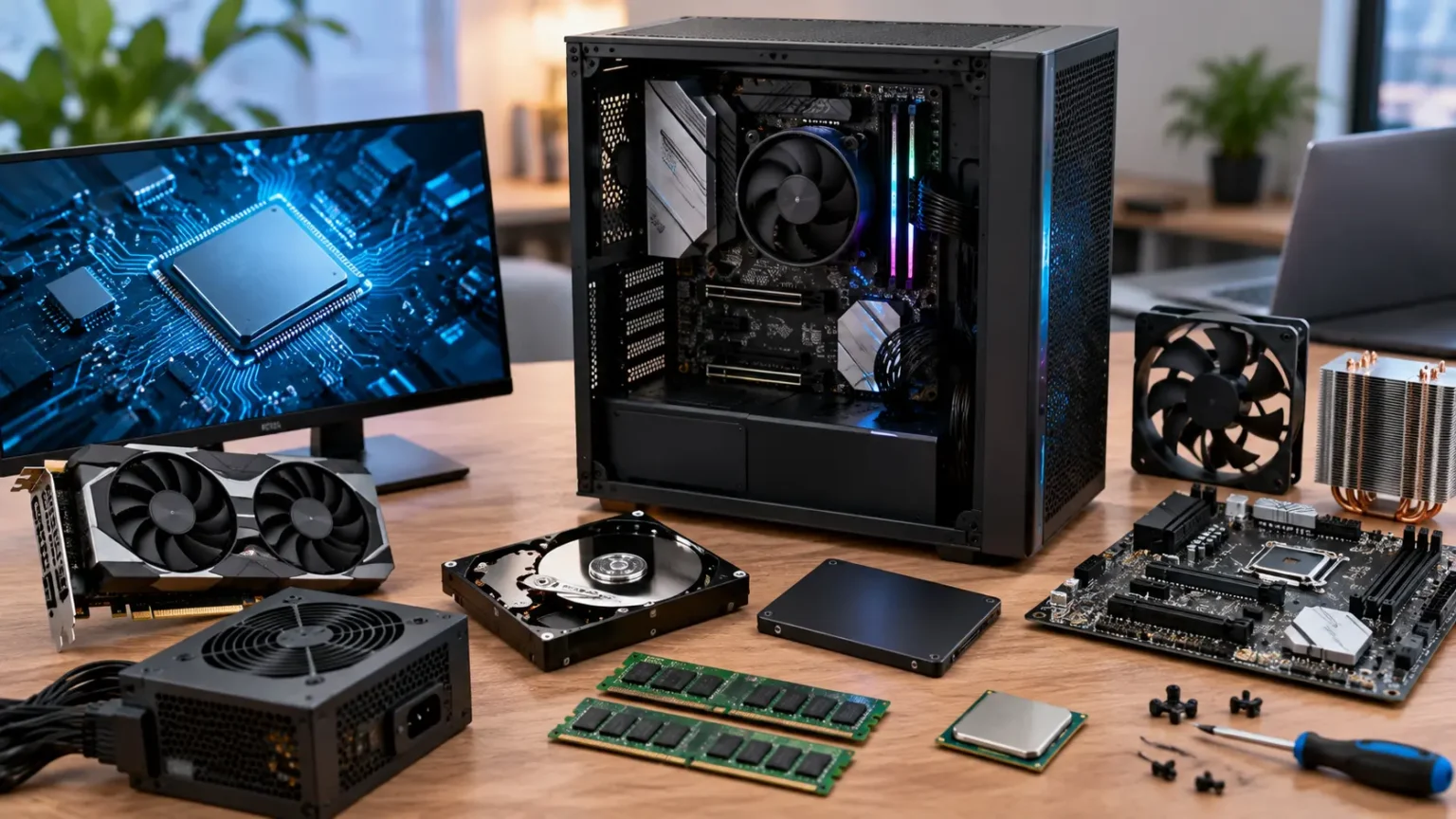
Hardware components are the physical parts of a computer or electronic device that can usually be seen, touched, installed, removed, or replaced. One of the most important examples is the central processing unit, commonly called the CPU or processor. The CPU executes instructions and performs calculations required by software programs. Another major component is the motherboard, which provides connections that allow the processor, memory, storage, and other devices to communicate. Random access memory, or RAM, temporarily holds information that active programs need quickly. Together, these hardware components form the foundation that allows a computer to process information and run applications.
Storage devices are another important category of computer components because they hold operating systems, applications, documents, photos, and other data. Modern computers commonly use solid-state drives, or SSDs, which generally provide faster access to information than traditional mechanical hard disk drives. Storage capacity determines how much information can remain permanently available on the computer. RAM and storage are sometimes confused, but they serve different purposes. RAM provides temporary high-speed working space while programs are running, whereas storage keeps data even after the computer is turned off. Both components affect the overall user experience, although they influence performance in different ways.
Graphics processing hardware is particularly important for computers used for gaming, video editing, three-dimensional design, artificial intelligence workloads, and other visually demanding tasks. A graphics processing unit, or GPU, handles many calculations involved in creating images and processing visual information. Some computers include graphics functionality within the processor, while others use a separate graphics card. Dedicated graphics cards usually include their own video memory and cooling system. The amount of graphics power a user needs depends heavily on the type of software they run. Someone using email and web browsing may require far less graphics performance than a professional working with complex video or three-dimensional applications.
Power and cooling components are less visible to everyday users but remain essential to reliable computer operation. The power supply unit converts electrical power into forms that internal hardware can use safely. Cooling systems remove heat generated by processors, graphics cards, and other components during operation. These systems may include fans, heat sinks, thermal materials, or liquid cooling equipment. Excessive heat can reduce performance and potentially shorten the useful life of hardware. Computer cases also contribute to cooling by controlling airflow around internal parts. Although these components do not directly perform calculations, they support the environment that allows processing hardware to operate correctly.
Peripheral hardware components allow users and computers to communicate with one another or interact with the outside world. Input components include keyboards, mice, microphones, scanners, touchscreens, and cameras. Output components include monitors, speakers, printers, and projectors. Some devices perform both input and output functions, such as touchscreens and network adapters. External components can connect through USB, Bluetooth, Wi-Fi, HDMI, Thunderbolt, or other communication standards. Understanding the purpose of each hardware component can help users troubleshoot problems and make better purchasing decisions. Instead of judging a computer only by brand or appearance, buyers can evaluate the individual components that determine whether the system meets their specific needs.
Software Components and How They Work
A software component is a self-contained part of a software system that performs a specific function or group of related functions. Unlike hardware components, software components exist as code rather than physical objects. An application might include separate components for user registration, authentication, search, payments, notifications, reporting, and data management. Developers divide applications this way because smaller functional sections are usually easier to understand than one massive block of code. Each component can focus on one responsibility while communicating with other parts of the application. This approach is frequently described as component-based software development and plays an important role in modern programming practices.
Software components often communicate through clearly defined interfaces. An interface explains what information a component accepts, what actions it can perform, and what information it returns. Developers using the component do not always need to understand exactly how its internal code works. For example, an application may send payment information to a payment component and receive a success or failure response. The rest of the application only needs to understand the agreed communication method. This separation is sometimes described through concepts such as encapsulation and abstraction. These principles reduce unnecessary dependencies and make it easier to change internal implementation without affecting every other part of the software.
Reusable software components can greatly improve development efficiency. Instead of building common features repeatedly, developers can create or use existing components that already solve familiar problems. A login component might be reused across several company products, while a reporting component could generate similar analytics in multiple applications. Many software frameworks also provide libraries containing ready-made components for common tasks. Reuse can reduce development time, but developers still need to evaluate security, compatibility, performance, and maintenance. A component that works well in one environment may not automatically be appropriate everywhere. Good component selection involves understanding both the feature itself and the larger system where it will operate.
Testing becomes easier when software is divided into components because each part can be evaluated separately before the entire system is tested together. Developers may perform unit tests that confirm individual functions work correctly inside a component. Component tests can then examine how the component behaves as a complete unit. Integration tests focus on communication between multiple components, while broader system testing examines the complete application. This layered approach makes failures easier to locate. If a specific component passes its own tests but fails during integration, developers know the problem may involve communication or assumptions between components rather than the component’s internal logic.
Software components also support long-term maintenance because technology products frequently change after their initial release. Businesses add features, fix bugs, improve security, change providers, and respond to new customer expectations. A modular application allows developers to update one area with less risk of breaking unrelated functionality. For example, an email notification component may be replaced when a company changes email providers. If the component has a clear interface, most of the application may continue working without major changes. This flexibility becomes increasingly valuable as software grows. Component-based design is therefore not only about making development faster; it is also about keeping systems understandable and adaptable throughout their life cycle.
Web and User Interface Components
Web development uses the term component frequently because modern websites and applications are often assembled from reusable user interface building blocks. A UI component is a distinct visual or interactive element that appears on a screen and performs a recognizable function. Common examples include buttons, navigation menus, search boxes, forms, cards, dropdown menus, tabs, modals, and notification banners. Instead of designing and coding each instance individually, teams can create standardized components and reuse them throughout the product. This improves visual consistency because the same component follows the same spacing, typography, behavior, and interaction rules wherever it appears. Reusable UI components are therefore central to many modern design systems.
A button provides a simple example of how UI components work. A design team may define its appearance, size, spacing, hover behavior, disabled state, loading state, and accessibility requirements. Developers then create a reusable button component based on those specifications. Whenever another part of the website requires a button, the team can use the existing component rather than rebuilding the design. Individual instances may display different labels or trigger different actions while still sharing the same underlying structure. If the company later changes its button design, developers can update the component once. That change can then appear consistently across every part of the application using the shared component.
Modern JavaScript frameworks and libraries have made component-based web development especially common. Technologies such as React, Vue, Angular, and other frontend tools encourage developers to structure interfaces as collections of smaller components. A product page might contain separate components for images, pricing, reviews, inventory information, recommendations, and the purchase button. Some components may contain smaller components inside them, creating a hierarchy that reflects the structure of the page. This approach helps teams manage complex applications because each piece has a clearer purpose. Developers can also combine simple components into more sophisticated interface sections without rewriting common functionality.
Components are closely connected to design systems, which provide standardized visual and interaction rules for digital products. A design system may include reusable components along with typography standards, spacing rules, icons, colors, accessibility guidance, and documentation. Large organizations rely on these systems to ensure that different teams create experiences that still feel like parts of the same brand. Without reusable components, one team might design forms differently from another, creating inconsistent experiences for users. Standardization also reduces repeated design decisions. Instead of debating how every checkbox or alert should look, teams can use established components and focus their energy on solving new product problems.
Accessibility is another reason high-quality interface components matter. If a company develops an accessible button, form field, navigation menu, or dialog component, that work can benefit every page where the component is reused. Developers can build keyboard navigation, screen-reader support, focus behavior, labels, and other accessibility considerations directly into shared components. This does not automatically make the entire application accessible, but it creates a stronger foundation. Consistency also helps users because familiar interface elements behave predictably across the product. Well-designed web components therefore improve more than development speed. They can support usability, accessibility, brand consistency, maintainability, and a more reliable overall user experience.
Components in Networks, Cloud Systems, and IT Infrastructure
Computer networks are made from many components that allow devices to communicate and exchange information. Common network components include routers, switches, firewalls, wireless access points, servers, cables, network interface cards, and modems. Each component performs a specific role within the larger communication system. A switch connects devices within a local network, while a router directs traffic between different networks. Firewalls help control which network connections are permitted or blocked according to security rules. Wireless access points provide Wi-Fi connectivity to nearby devices. Understanding these network components can make it easier to see how information travels from one computer to another.
Servers can also be treated as infrastructure components because they provide computing resources or services to other systems. A web server delivers website content, while a database server stores and retrieves structured information. File servers provide shared storage, and authentication servers help verify identities. In modern environments, these services may run on physical servers, virtual machines, containers, or cloud platforms. The physical location matters less than the function the component performs. An organization may therefore describe its architecture in terms of logical components even when many of those services share the same underlying hardware.
Cloud computing extends the component concept because applications can be assembled from many managed services. A cloud application might include compute instances, object storage, databases, load balancers, content delivery networks, identity services, queues, monitoring tools, and backup systems. Each cloud component addresses a particular requirement within the overall architecture. Teams can often scale or configure these services independently. For example, storage capacity may increase significantly while the application requires only a modest increase in processing resources. This flexibility helps companies align infrastructure with actual demand. Component-based cloud architectures can also make it easier to replace or improve specific services as requirements change.
Containers and microservices provide another example of component-oriented thinking in modern software infrastructure. A microservices architecture separates an application into smaller services that focus on specific business capabilities. One service may handle customer accounts, another payments, and another product inventory. These services communicate through APIs, messaging systems, or other network protocols. Each microservice can potentially be developed, deployed, and scaled independently. However, dividing software into many components also introduces challenges such as network communication, monitoring, data consistency, security, and operational complexity. Component-based architecture is valuable, but more components do not automatically make a system better.
Infrastructure components must also be designed with reliability and security in mind. A failure in one critical component can sometimes interrupt an entire service if no backup or alternative is available. Engineers therefore use techniques such as redundancy, failover, replication, monitoring, and load balancing to reduce dependence on single points of failure. Security teams also evaluate how different components communicate because every connection can potentially create risk. Access controls should limit what each system component can do. Well-designed infrastructure treats components not merely as individual technologies but as interacting parts of a broader operational environment. The quality of those interactions strongly influences the reliability and security of the complete system.
Component vs. Module, Element, Part, and System
Component and part are often used interchangeably in ordinary conversation, but component usually has a slightly more functional meaning in technical contexts. A part can describe almost any piece of a larger object, regardless of whether it performs a meaningful function independently. A component generally implies that the piece contributes a specific capability to the overall system. For example, a screw is clearly a part of a computer case, but engineers are less likely to describe one ordinary screw as a major computer component. A graphics card, by contrast, has a clear functional role and is commonly called a component. The distinction is not absolute, but technical language often emphasizes functionality when using the word component.
A module is closely related to a component, particularly in software engineering. Both terms describe sections of a larger system that group related functionality. However, a module often emphasizes organization of code, while a component may emphasize a deployable or reusable functional unit. In some programming environments, the terms overlap so heavily that teams use them almost interchangeably. A software module might contain several components, or a component might internally use several modules. The exact definition depends heavily on the programming language, framework, or architecture involved. Rather than assuming a universal difference, it is usually better to examine how a particular technology defines the terms.
The word element also appears frequently in technology but often refers to a more fundamental or structural unit. In web development, for example, HTML elements include structures such as headings, paragraphs, links, forms, and images. A UI component may contain several HTML elements combined with styling and interactive behavior. The component is therefore usually a higher-level reusable feature rather than a single markup element. In other fields, element may simply mean one member of a collection or data structure. Context again determines the precise meaning. Understanding these levels helps developers communicate whether they are discussing a basic building block or a more complete functional feature.
A system is broader than a component because it describes the collection of interacting parts that accomplish a larger purpose. A computer is a system containing hardware and software components. An ecommerce platform is a system containing interface components, databases, payment services, search tools, inventory management, analytics, and infrastructure. Some systems can themselves become components within an even larger system. For example, an entire payment platform may be treated as one component of a marketplace application. This layered perspective is common in system architecture because the appropriate level of detail changes depending on what engineers are examining. A component can therefore be both a complete system internally and a smaller building block externally.
Subsystem is another related term that sits between individual components and the complete system. A subsystem is a group of related components that work together to perform a significant part of the overall system’s function. A computer’s storage subsystem, for instance, may include drives, controllers, software, connectors, and caching mechanisms. Engineers may discuss the subsystem as a single unit when they do not need to describe every internal component. These terms provide different levels of abstraction for understanding complex technology. Component, module, element, part, subsystem, and system are not always separated by strict universal rules, but each helps people describe how smaller pieces contribute to larger technological structures.
How Components Communicate and Work Together
A component becomes useful within a larger system when it can communicate effectively with other components. In hardware, communication often happens through physical connectors, buses, cables, or wireless signals. A processor exchanges information with memory through electrical pathways on the motherboard. A monitor receives video information through a connection such as HDMI or DisplayPort. Network devices exchange data using established communication standards and protocols. These standards are essential because two components cannot cooperate reliably if they interpret information differently. Technology systems therefore depend heavily on agreed rules that define how data is formatted, transmitted, received, and understood.
Software components communicate through mechanisms such as function calls, interfaces, APIs, events, message queues, databases, or shared data structures. An ecommerce website provides a useful example because several components cooperate when a customer completes a purchase. The checkout interface collects information and sends it to backend services. An inventory component verifies product availability, while a payment component processes the transaction. Another component may update the order database, and a notification service sends the confirmation email. Users experience one smooth checkout process even though numerous components may be coordinating behind the scenes.
APIs are particularly important in component-based software because they provide structured ways for different systems to request information or actions from one another. An application programming interface defines what requests another component can make and what responses it should expect. For example, a weather application may use an external weather API rather than collecting weather measurements itself. The weather provider becomes a functional component within the larger application experience. If the API follows stable rules, the app developer does not need to understand the provider’s entire internal infrastructure. This separation allows businesses to combine specialized services and build complex products more efficiently.
Dependencies appear when one component requires another component in order to operate. Some dependencies are necessary, but excessive dependencies can make systems difficult to maintain. If changing one component forces developers to modify dozens of unrelated parts, the architecture is described as tightly coupled. Loosely coupled components have clearer boundaries and fewer assumptions about each other’s internal behavior. Loose coupling can make testing, replacement, and scaling easier because components remain more independent. Engineers therefore try to design communication interfaces carefully. The goal is not to eliminate interaction, because components must cooperate, but to keep relationships understandable and manageable.
Failures in communication can create problems even when every individual component works correctly on its own. A payment component may be functioning perfectly, for example, but checkout can still fail if the ecommerce application sends information in the wrong format. Network delays, incompatible versions, unavailable APIs, configuration errors, and incorrect assumptions can all cause component integration failures. This is why integration testing and system monitoring are essential in modern technology. Engineers must evaluate both individual components and the connections between them. A reliable system depends not only on strong individual building blocks but also on well-designed relationships that allow those building blocks to work together consistently.
Real-World Examples of Components in Everyday Technology
A smartphone provides one of the easiest real-world examples of components working together. Internally, the device contains a processor, memory, storage, battery, cameras, sensors, antennas, speakers, microphones, and a display. Software components include the operating system, applications, security services, network features, and interface elements. Taking a photograph demonstrates how several of these parts cooperate. The camera sensor captures visual information, the processor performs image calculations, software enhances the image, storage saves the file, and the display allows the user to view it. A simple action from the user’s perspective therefore depends on many physical and digital components working together almost instantly.
A modern car is another highly component-based technology system. Mechanical components include the engine or electric motors, brakes, suspension, steering, and transmission, while electronic systems add sensors, cameras, controllers, navigation, and entertainment features. Electric vehicles also depend heavily on battery packs, power electronics, charging components, and sophisticated software. Driver-assistance features combine cameras, radar, processing hardware, and control software to interpret the surrounding environment. Each component handles part of a much larger transportation system. Modern vehicles illustrate how the distinction between hardware and software components is becoming increasingly blurred as physical products gain more digital functionality.
Streaming services also rely on numerous components even though users may see only a simple application interface. A content catalog stores information about movies or television programs, while recommendation components analyze user preferences. Authentication systems manage accounts and subscriptions, and video delivery infrastructure sends content across the internet. Content delivery networks place copies of media closer to viewers to improve performance. Payment systems manage recurring subscriptions, while analytics components collect information about service quality and usage patterns. The application works because these systems coordinate continuously. What appears to be one service from the customer’s perspective is actually an ecosystem of interconnected technology components.
Smart home technology provides another practical example. A smart thermostat may contain temperature sensors, networking hardware, a display, processing components, and software that determines when heating or cooling should operate. The thermostat can also communicate with cloud services and a mobile application. If users adjust the temperature from their phone, the mobile interface sends information through network components to the cloud and eventually to the thermostat. Each part performs a different job while contributing to one user experience. Similar component relationships exist in smart lights, security cameras, doorbells, speakers, and home automation systems.
Even a simple website contains more components than many users realize. The page displayed in a browser may include navigation, search, forms, images, analytics, security tools, advertising systems, databases, hosting infrastructure, and content management software. Some components are created directly by the website’s developers, while others may come from third-party providers. A contact form, for example, may collect information through the frontend, validate it using application code, store it in a database, and send an email through another service. Understanding components makes these systems easier to visualize. Rather than viewing technology as one mysterious object, users can see it as a collection of specialized parts working together to deliver the final result.
How to Identify a Component in Any Tech System
One simple way to identify a component is to ask what specific function a particular part performs. If a section of a system has a clear responsibility, it can often reasonably be described as a component. In a laptop, the battery provides electrical energy, the screen displays information, and the keyboard captures user input. In an application, authentication verifies identity while a database stores information. Defining the responsibility makes the system easier to understand because each component answers a specific functional question. When responsibilities are unclear or heavily mixed together, the architecture may be harder to maintain. Clear component roles are therefore valuable for both technical explanation and actual system design.
The next question is how the component communicates with the rest of the system. Hardware components may connect through ports, cables, buses, electrical signals, or wireless networks. Software components may expose APIs, functions, events, or data interfaces. Understanding these connections helps reveal both the purpose and boundaries of the component. A database, for example, may store information but should normally expose controlled ways for applications to read or update that information. Interfaces prevent every part of the system from interacting in unpredictable ways. When identifying components, examining their inputs and outputs can be just as informative as looking at what happens internally.
It can also help to ask whether the part could theoretically be replaced while keeping most of the larger system intact. Replaceability is not required for something to qualify as a component, but it often indicates that the system has clear modular boundaries. A desktop computer can usually use different compatible storage drives without redesigning every other part. Similarly, a website may switch analytics providers while retaining its main application functionality. The easier this replacement becomes, the more independent the component usually is. Tight dependencies can make replacement difficult, while well-defined interfaces reduce the amount of surrounding code or hardware that must change.
Another useful approach is to consider the level of detail being discussed. A processor can be treated as one computer component, but the processor itself contains billions of transistors and many internal functional units. Those internal structures can also be described as components when discussing processor design. Similarly, an entire database may be one application component while containing its own storage engine, query processor, caching system, and security mechanisms. There is therefore no single universal size that defines a component. The correct level depends on the purpose of the discussion. Components are conceptual boundaries that help people organize a system at the level most useful for the problem they are trying to solve.
Ultimately, identifying components is about breaking complexity into understandable responsibilities and relationships. A person does not need to know every internal technical detail to recognize the major building blocks of a system. Asking what each part does, what information it receives, what it produces, and what other parts it depends on can reveal the overall architecture. This way of thinking is useful for developers, IT professionals, students, business owners, and everyday technology users. It can make troubleshooting easier and technical explanations clearer. Once the concept is understood, the word component becomes less like specialized jargon and more like a practical way of understanding how modern technology is organized.
Frequently Asked Questions About Components
What is the simple meaning of component?
A component is one part of a larger system that performs a specific role or contributes to the system’s overall function. Components can be physical, such as computer hardware, or digital, such as pieces of software.
What is an example of a computer component?
Common computer components include the processor, RAM, motherboard, storage drive, graphics card, power supply, and cooling system. Each component performs a different task while working with the others to make the computer function.
What is a software component?
A software component is a reusable or distinct section of software designed to perform a specific function. Examples include login systems, payment features, search functions, database services, notification tools, and user interface components.
What is the difference between a component and a module?
The terms often overlap, but a module generally refers to an organized section of code, while a component usually emphasizes a functional or reusable part of a system. Their exact meanings can vary according to the programming language, framework, or architecture.
Why are components important in technology?
Components make complicated systems easier to design, test, maintain, update, reuse, and scale. By dividing technology into smaller functional parts, developers and engineers can manage complexity and change individual areas without always rebuilding the entire system.