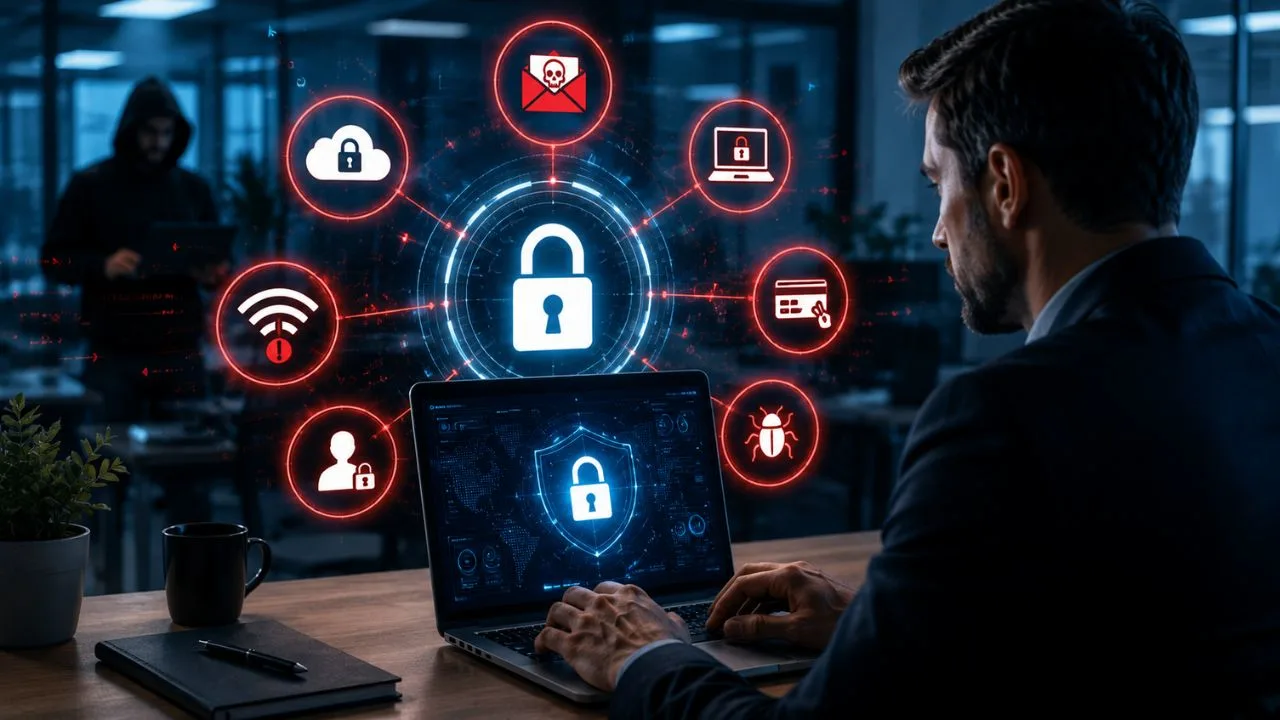
Common Cybersecurity Risks Facing Businesses
Businesses depend on email, cloud platforms, connected devices and online services to communicate and operate efficiently. These technologies create valuable opportunities, but they also introduce entry points that cybercriminals can exploit. A single compromised account, outdated application or convincing fraudulent message may be enough to disrupt an entire organisation.
Cybersecurity risks are not limited to multinational corporations or companies holding secret research. Small and medium-sized businesses may store payment details, employee records, customer information and valuable account credentials. Attackers can use this information for fraud, extortion, identity theft or access to larger organisations connected through trusted business relationships.
Modern cyberattacks also involve more than malicious software. Threat actors may manipulate employees, exploit software vulnerabilities, misuse legitimate accounts or compromise a supplier. They often combine several weaknesses, turning an apparently minor mistake into a serious data breach, ransomware incident or prolonged interruption of essential business services.
Understanding the most common cybersecurity risks facing businesses helps leaders invest in controls that address realistic threats. This guide explains how the main risks develop, what warning signs businesses should watch for and which practical security measures can reduce the likelihood and impact of a successful attack.
Why Cybersecurity Risk Is a Business Problem
Cybersecurity is sometimes treated as a technical responsibility belonging only to the IT department. In reality, a cyber incident can affect sales, customer service, finance, legal compliance and everyday operations. Leadership decisions about budgets, suppliers and access controls can influence security just as strongly as firewalls or antivirus software.
A serious incident may prevent employees from accessing files, accepting payments or communicating with customers. Even when systems are restored quickly, the business may face investigation costs, legal advice, notification requirements and lost revenue. Customers may also question whether the organisation can protect information entrusted to it.
The consequences often continue after the original attack. Stolen data may be sold, reused in fraud or published online months later. Attackers may retain hidden access, while employees must spend time rebuilding systems, changing processes and answering questions from clients, insurers, regulators and business partners.
Cybersecurity should therefore be managed as an organisational risk rather than an isolated technology issue. Business leaders need to understand which systems support critical operations, who can access them and how long the organisation could function if those systems suddenly became unavailable.
1. Phishing and Social Engineering Attacks
Phishing occurs when attackers impersonate a trusted person or organisation to persuade someone to reveal information or perform an unsafe action. A fraudulent email may request a password, contain a malicious attachment or direct the recipient to a fake login page designed to steal account credentials.
Social engineering attacks can also arrive through telephone calls, text messages, social media and workplace collaboration platforms. A criminal may pretend to be a senior executive, supplier, bank employee or technical support agent. Personal details collected online can make the message appear surprisingly accurate and believable.
Urgency is one of the most common warning signs. The message may claim that an account will be closed, an invoice must be paid immediately or a confidential request cannot follow the normal process. Pressure reduces the time a recipient spends checking whether the communication is genuine.
Businesses should combine security awareness training with technical protection. Email filtering, phishing-resistant multifactor authentication and clear payment-verification procedures reduce reliance on employees recognising every sophisticated scam. Staff should also have a simple method for reporting suspicious messages without fear of punishment.
2. Business Email Compromise and Payment Fraud
Business email compromise occurs when an attacker uses a real or convincingly imitated business email account to conduct fraud. The criminal may study previous conversations before requesting a payment, changing bank details or asking an employee to send confidential financial documents.
Supplier impersonation is a common version of this attack. The criminal enters an existing email conversation and announces that future invoices should be paid into a different account. Because the message appears inside a familiar thread, employees may process the change without independently contacting the supplier.
Executive impersonation can be equally effective. An attacker may pretend to be a director who urgently needs a confidential transfer completed before a meeting. The request often discourages normal verification by suggesting that the matter is sensitive, time-critical or known only to senior management.
Businesses should verify every new or changed payment instruction through a previously confirmed telephone number. Financial transactions should require appropriate approval, and email accounts should use strong multifactor authentication. Reviewing mailbox forwarding rules can also reveal changes created by an intruder to monitor or redirect messages.
3. Stolen Passwords and Account Takeovers
Password theft allows an attacker to enter a system using legitimate credentials rather than obvious malware. The login may initially appear normal, especially when the criminal uses a familiar device location or patiently studies the account before taking action.
Credentials can be obtained through phishing pages, information-stealing malware and earlier data breaches. Attackers frequently test exposed username and password combinations against unrelated services. This credential-stuffing technique works when employees reuse the same password across business and personal accounts.
Password spraying creates a different risk. Instead of testing many passwords against one account, the attacker tries a small number of common passwords across numerous users. This may avoid automatic account lockouts while revealing employees who selected weak or predictable credentials.
Businesses should require unique passwords and provide an approved password manager. Multifactor authentication should protect email, remote access, cloud storage and administrative accounts. Security teams should also disable inactive users, monitor unusual logins and revoke active sessions when account compromise is suspected.
4. Ransomware and Data Extortion
Ransomware is malicious software that prevents access to systems or files, often through encryption. Criminal groups may demand payment in exchange for a decryption key, but paying does not guarantee that the data will be restored or that the attackers will keep their promises.
Modern ransomware incidents frequently include data theft before encryption begins. Attackers threaten to publish confidential information if the victim refuses to pay, creating pressure even when reliable backups exist. Some groups may contact customers, employees or business partners to increase reputational damage.
The ransomware itself is often the final stage of a wider network compromise. Criminals may spend days or weeks stealing credentials, exploring systems and disabling security tools before deploying encryption. Phishing, vulnerable remote services and unpatched software are common initial entry routes.
Businesses should maintain protected backups that attackers cannot easily delete or encrypt. Strong MFA, patch management, endpoint monitoring and network segmentation reduce opportunities for initial access and movement. A tested ransomware response plan should explain how to isolate affected systems and continue critical operations.
5. Malware and Information-Stealing Software
Malware is a broad category that includes trojans, spyware, worms, keyloggers and remote access tools. It may steal information, monitor user activity or give an attacker persistent control over a device. Some malware remains quiet for long periods to avoid attracting attention.
Information stealers have become particularly dangerous because they collect passwords, browser cookies, cryptocurrency wallets and authentication tokens. Stolen session cookies may allow criminals to access an account even when the user has enabled multifactor authentication.
Malware commonly enters through deceptive attachments, pirated software, fake browser updates and compromised websites. Employees may believe they are opening a résumé, invoice or shared document. The visible file can appear legitimate while harmful code runs quietly in the background.
Endpoint protection should monitor behaviour rather than depend only on known file signatures. Businesses should restrict software installation, update browsers and operating systems and control risky file types. Employees should download applications only from authorised sources and report unexpected security warnings promptly.
6. Unpatched Software and Known Vulnerabilities
Software vulnerabilities are weaknesses that can allow attackers to bypass security controls, execute commands or obtain protected information. Internet-facing systems are especially attractive because criminals can search for exposed products and attack them without first accessing the internal network.
Once a vulnerability becomes public, attackers may quickly develop or reuse automated exploitation tools. Businesses that delay updates can remain exposed even when a fix is already available. Firewalls, VPN appliances, email gateways and file-transfer systems are frequent high-value targets.
Patch management becomes difficult when a business does not maintain an accurate inventory. Forgotten websites, old test servers and unsupported devices may remain online without regular maintenance. These neglected systems can provide an easier route than the organisation’s main, carefully protected applications.
Businesses should identify every important asset and assign clear responsibility for updates. Patching priorities should consider internet exposure, business importance and evidence of active exploitation. Unsupported technology should be replaced, isolated or protected through temporary compensating controls until removal becomes possible.
7. Zero-Day Vulnerabilities
A zero-day vulnerability is a software weakness for which an effective fix may not yet be widely available when attackers begin exploiting it. These flaws are concerning because organisations cannot depend entirely on routine patching to protect themselves during the earliest stage of an attack campaign.
Zero-day exploits are often associated with advanced threat actors, but exploitation tools may spread after the vulnerability becomes public. A flaw that initially affects a limited number of high-value targets can later become available to criminal groups attacking businesses more broadly.
Businesses cannot predict every previously unknown vulnerability. They can, however, reduce the potential impact by limiting administrative privileges, segmenting networks and monitoring unusual behaviour. These controls may prevent an exploited application from providing unrestricted access to other systems.
Security teams should follow trusted vendor notifications and government advisories. Temporary mitigations may include disabling an affected feature, restricting internet access or adding detection rules. Once a verified security update becomes available, the organisation should test and deploy it according to the urgency of the risk.
8. Cloud Security Misconfigurations
Cloud platforms allow businesses to expand services without purchasing and maintaining all infrastructure internally. However, cloud providers and customers share security responsibilities. A provider may secure the underlying platform while the business remains responsible for identities, permissions, data settings and application configurations.
Misconfigurations can expose storage containers, databases or administrative interfaces to the internet. A simple setting may allow confidential files to be downloaded without authentication. In other cases, excessive permissions let one compromised user access far more information than required for their role.
Cloud access keys and application tokens create another risk. Developers may accidentally place credentials in public code repositories, scripts or shared documents. Attackers continuously search for exposed secrets that can provide immediate access to cloud services and stored data.
Businesses should apply least privilege, rotate credentials and remove unused cloud resources. Configuration monitoring can identify public exposure and unauthorised changes. Security responsibilities should be documented clearly so internal teams and external providers understand who must protect each part of the environment.
9. Weak Remote Access Security
Remote work has increased dependence on VPNs, remote desktop services and cloud-based productivity tools. These services create valuable flexibility, but they also provide direct pathways into business systems. Attackers regularly search for remote access portals protected by weak passwords or outdated software.
Exposing remote desktop services directly to the internet is particularly risky. Criminals may use brute-force attempts, stolen credentials or software exploits to gain access. Once connected, they can behave like a remote employee and search for other valuable systems.
Personal devices and insecure home networks may introduce additional weaknesses. A family computer used for business could contain unapproved software or lack current security updates. Employees may also store company documents locally where the organisation cannot monitor or protect them effectively.
Remote access should require strong multifactor authentication and approved, managed devices. Businesses should remove unnecessary public exposure, restrict access by role and monitor unusual connection patterns. Sensitive administrative systems may require additional controls such as secure access gateways and dedicated workstations.
10. Insider Threats
An insider threat involves someone with authorised access who creates security risk intentionally or accidentally. The person may be an employee, contractor, temporary worker or business partner. Because insiders already understand systems and processes, harmful activity can be difficult to distinguish from normal work.
Malicious insiders may steal customer lists, intellectual property or financial information for personal gain. Others may damage systems after a workplace dispute or before leaving the company. Excessive permissions increase the amount of harm one person can cause.
Unintentional insider incidents are more common and may involve sending information to the wrong recipient, using weak passwords or uploading files to an unapproved service. An employee may also misconfigure cloud storage or fall for a convincing phishing message.
Businesses should apply least privilege and review access when responsibilities change. Departing employees should lose access promptly, and sensitive actions should generate appropriate logs. A supportive security culture encourages people to report mistakes early, when the organisation still has time to reduce the damage.
11. Third-Party and Supply Chain Attacks
Most businesses rely on suppliers, software vendors, consultants and managed service providers. These relationships improve efficiency, but they also create indirect routes into systems and data. A supplier may have network access, administrative privileges or copies of confidential business information.
Attackers can compromise a widely used software provider and distribute malicious code through a trusted update. They may also steal a vendor’s credentials and use legitimate remote management tools to reach customer environments. One supplier incident can therefore affect many businesses at the same time.
Third-party risk is difficult to manage because the organisation cannot directly control every vendor’s internal practices. A supplier may use weak authentication, delay security updates or rely on additional subcontractors. These hidden dependencies can extend far beyond the original agreement.
Businesses should assess suppliers according to the access and data they receive. Contracts should define security requirements, breach notification and access termination. Third-party accounts should use MFA, limited permissions and regular review rather than receiving permanent unrestricted access for convenience.
12. Data Breaches and Unauthorised Disclosure
A data breach occurs when information is accessed, copied or disclosed without authorisation. The exposed material may include customer details, employee records, payment data, health information or confidential business documents. Even a small breach can create serious obligations if the data is sensitive.
Breaches can result from hacking, stolen devices, incorrect permissions or simple human error. A spreadsheet sent to the wrong address may be as legally important as information taken through malware. Organisations therefore need controls covering both deliberate attacks and accidental disclosure.
Stolen information can be used for identity fraud, account takeover and targeted phishing. Attackers may combine business records with data from earlier incidents to create detailed profiles. Once information has been copied, the organisation cannot guarantee that every version has been permanently removed.
Businesses should collect only the data they genuinely need and establish retention periods. Encryption, access controls and data-loss prevention can reduce exposure. An incident response plan should also explain how to investigate a suspected breach and meet relevant notification requirements.
13. Distributed Denial-of-Service Attacks
A distributed denial-of-service attack overwhelms a website, application or network with large amounts of traffic. The goal is to exhaust capacity and prevent legitimate users from reaching the service. Online retailers, financial services and customer portals may be particularly affected by prolonged disruption.
Attackers often generate traffic through botnets made from compromised computers, routers and internet-connected devices. Because the requests originate from many locations, blocking them without affecting real users can be difficult. Criminal groups may also threaten an attack unless the business pays an extortion demand.
Not every service interruption is a DDoS attack. Hardware failure, configuration errors and unexpected customer demand can produce similar symptoms. Monitoring is needed to distinguish malicious traffic from an ordinary technical problem and to select an appropriate response.
Businesses that depend heavily on online availability should use scalable infrastructure and DDoS protection. Response procedures should include communication with hosting, network and security providers. Critical services may also require alternative access methods so operations can continue during a major outage.
14. Mobile Device Security Risks
Smartphones and tablets contain email, files, authentication apps and access to business platforms. A lost or compromised device can therefore expose far more than contact information. Attackers may use the device to reset passwords, approve login requests or access existing sessions.
Mobile phishing messages can be particularly effective because small screens hide full web addresses and other warning signs. Employees may respond quickly while travelling or working outside the office. Fraudulent QR codes can also direct users to fake login pages or malicious downloads.
Unapproved applications may request access to contacts, files, microphones and cameras. Even legitimate software can create risk when it stores business information insecurely or sends data to external services. Outdated operating systems may contain weaknesses that remain unpatched.
Businesses should require screen locks, device encryption and automatic updates. Mobile device management can enforce security settings and remove company data from lost equipment. Employees should report missing devices immediately rather than waiting to see whether they are returned.
15. Internet of Things and Connected Device Risks
Businesses increasingly use smart cameras, printers, sensors, access systems and building controls. These internet-connected devices may improve efficiency, but they can also introduce weak passwords, outdated firmware and poorly protected management interfaces.
Many devices remain installed for years without regular security review. An old printer or camera may still use default administrator credentials. Attackers can compromise these systems to observe activity, join a botnet or explore the wider business network.
Connected devices may collect sensitive information without employees fully understanding what is stored. Cameras, voice systems and location sensors can create privacy risks when access is not controlled. Vendors may also stop providing updates before the physical device reaches the end of its useful life.
Businesses should keep an inventory of connected devices and change default credentials immediately. Devices should receive firmware updates and be placed on segmented networks where possible. Products that no longer receive security support should be replaced or isolated from sensitive systems.
16. Artificial Intelligence Security Risks
Artificial intelligence offers useful business capabilities, but rapid adoption can introduce new cybersecurity and data-protection risks. Employees may paste confidential information into public AI tools without understanding how the provider stores, processes or reuses that material.
Shadow AI develops when departments use unapproved tools outside formal security and procurement processes. The organisation may not know what information has been uploaded or which external applications can access cloud accounts. This creates gaps in governance, retention and incident response.
Attackers are also using AI to improve social engineering. Generated messages can be grammatically accurate, personalised and produced at scale. Synthetic audio and video may imitate executives or suppliers, making independent verification increasingly important for sensitive requests.
Businesses need clear rules describing approved AI tools, permitted data and required review. Access to internal AI systems should follow least privilege, while outputs should be checked for inaccurate or unsafe content. AI adoption should strengthen business processes without bypassing established security controls.
17. Physical Security and Device Theft
Cybersecurity can fail through physical access as well as online attacks. An unattended laptop, unlocked office or exposed network cabinet may allow someone to reach information without exploiting advanced software. Stolen equipment can also contain saved credentials and active user sessions.
Remote and travelling employees face additional risks in public places. A person may view sensitive information over someone’s shoulder, steal a device or connect a malicious charging accessory. Employees may also leave papers, removable drives or access cards where unauthorised people can find them.
Office visitors and contractors should not move freely through sensitive areas without appropriate supervision. Attackers may impersonate delivery staff, maintenance workers or new employees. Holding a door open for an unknown person can bypass access controls designed to protect important equipment.
Businesses should encrypt portable devices and require automatic screen locking. Access cards should be disabled when lost, while sensitive areas need appropriate restrictions. Clear-desk policies and secure disposal procedures can prevent confidential information from being recovered through ordinary rubbish or abandoned equipment.
18. Poor Backup and Recovery Practices
Backups are essential for recovering from ransomware, accidental deletion, hardware failure and destructive attacks. However, simply copying files does not guarantee that the organisation can restore them when needed. Backups may be incomplete, outdated or connected to the same network as infected systems.
Attackers often search for backup infrastructure after entering a business environment. They may delete recovery points or steal backup credentials before encrypting production systems. A backup that criminals can reach through the same compromised administrator account provides limited protection.
Businesses should keep multiple copies of important information, including at least one protected version separated from everyday systems. Cloud backups require secure configuration and access controls, while offline media should be stored safely and updated according to the organisation’s recovery needs.
Restoration tests are as important as backup creation. A business should know how long it takes to rebuild critical systems and whether restored applications function correctly. Recovery priorities should be based on operational impact rather than restoring files in an arbitrary order.
19. Inadequate Network Segmentation
A flat network allows many devices and systems to communicate freely. This may feel convenient, but it also helps an attacker move from one compromised endpoint to servers, backups and administrative tools. One infected laptop can become the starting point for a much larger incident.
Network segmentation separates systems according to sensitivity and purpose. Guest Wi-Fi, employee devices, servers and internet-connected equipment should not automatically share unrestricted access. Stronger boundaries force attackers to overcome additional controls as they attempt to move laterally.
Segmentation is especially important for backups, payment systems and operational technology. These environments may require stricter access than ordinary office applications. Administrative connections should be limited to approved accounts and managed devices rather than being available to every employee workstation.
Businesses should review firewall rules and remove unnecessary pathways. Segmentation must also be monitored because temporary exceptions can gradually become permanent. A well-designed network reduces both the likelihood of widespread compromise and the operational impact of isolating an affected area.
20. Security Misconfigurations and Default Settings
Security misconfigurations occur when systems are installed or changed without appropriate protective settings. Examples include public databases, unnecessary administrator privileges, disabled logging and services exposed to the internet. Attackers often discover these weaknesses through automated scanning.
Default accounts and passwords create another common problem. A new application or device may begin with predictable credentials that users forget to change. Documentation available online can tell attackers exactly which usernames and settings to test.
Configuration drift happens when systems gradually move away from their approved security baseline. Emergency changes, software updates and manual adjustments can weaken controls over time. The organisation may believe a system is protected even though its current settings no longer match the original design.
Businesses should establish secure configuration standards and check systems regularly for unexpected changes. Unnecessary features should be disabled, and administrative interfaces should not be publicly accessible without a strong business reason. Automated checks can improve consistency across large or rapidly changing environments.
21. Lack of Cybersecurity Awareness
Employees are often described as the weakest security link, but this description ignores the organisation’s responsibility to provide suitable processes and tools. People are more likely to make mistakes when security instructions are confusing, reporting is difficult or workload encourages shortcuts.
Annual awareness training alone is rarely enough. Employees need regular, relevant guidance about phishing, password security and confidential information. Training should reflect the actual systems and scams they encounter rather than presenting generic warnings that are quickly forgotten.
Leadership behaviour also shapes security culture. Employees may ignore payment controls when senior managers regularly demand exceptions. If people fear punishment after reporting a mistake, they may remain silent while attackers continue using a compromised account or device.
A positive security culture treats early reporting as a valuable defence. Staff should know whom to contact and what information to provide. Training can be supported with phishing simulations, clear policies and technical controls that prevent one error from producing catastrophic consequences.
22. Weak Incident Detection and Monitoring
Preventive controls cannot block every cyberattack. Businesses also need the ability to notice unusual behaviour before an attacker completes the final objective. Without monitoring, an intruder may remain inside the environment for weeks while stealing information and expanding access.
Useful warning signs include impossible travel logins, unexpected administrator accounts and unusual file downloads. Repeated authentication failures, disabled security tools and new mailbox forwarding rules may also reveal compromise. The value of logging depends on whether someone reviews and investigates the information.
Small businesses may not have a dedicated security operations centre. They can still collect important logs from email, cloud platforms, endpoints and firewalls. A managed service can provide monitoring, but responsibilities and response times should be clearly defined.
Alerts must be prioritised to prevent overload. Too many low-value notifications can hide meaningful threats. Businesses should focus monitoring on critical systems, privileged accounts and realistic attack paths, then review detection rules after incidents and major technology changes.
23. Missing or Untested Incident Response Plans
An incident response plan explains what the business will do when a cyberattack is suspected or confirmed. Without a plan, employees may waste valuable time deciding who has authority, which systems should be isolated and how customers or partners should be informed.
The plan should define roles for leadership, IT, legal, communications and other relevant teams. It should also contain contact details for insurers, external security specialists and technology providers. These details must remain available even when the normal email or file system is inaccessible.
Businesses should prepare for several realistic scenarios, including ransomware, account takeover and data loss. Each situation may require different containment and communication actions. Evidence should be preserved carefully so investigators can understand how the incident occurred and which systems were affected.
Plans need regular exercises rather than remaining unread documents. A tabletop exercise can reveal missing contacts, unclear authority and unrealistic recovery assumptions. Lessons should lead to updates in processes, security controls and employee responsibilities before a real emergency occurs.
How Businesses Can Reduce Cybersecurity Risk
Begin by identifying critical assets, accounts and business processes. The organisation should understand what information it stores, where that information is located and who can access it. Security spending becomes more effective when it protects the systems whose loss would cause the greatest operational damage.
Require strong multifactor authentication, particularly for email, remote access and administrative accounts. Keep software updated and remove unsupported systems. Employees should receive a password manager and should not reuse business passwords on personal websites or applications.
Maintain protected backups and test recovery regularly. Segment important systems, monitor unusual account activity and limit permissions according to job responsibilities. Suppliers with remote access should follow equivalent security requirements and lose access as soon as it is no longer necessary.
Finally, create and practise an incident response plan. Cybersecurity resilience is not the belief that an attack can never succeed. It is the ability to prevent common threats, detect suspicious activity quickly and restore operations without allowing one incident to determine the future of the business.
Cybersecurity Checklist for Small and Medium Businesses
Turn on MFA for email, file storage, cloud applications and remote access. Prioritise phishing-resistant options where available. Administrative accounts should not be used for ordinary browsing or email, and every employee should have an individual login rather than sharing credentials.
Apply software updates promptly and maintain an inventory of devices and applications. Replace unsupported technology and remove services that are no longer required. Internet-facing systems should receive particular attention because attackers can often discover and test them remotely.
Back up critical data using a method that protects at least one copy from ransomware. Test restoration and document which systems must return first. Employees should know how to report suspicious emails, lost devices and unexpected login prompts immediately.
Review supplier access, cyber insurance conditions and legal responsibilities before an emergency occurs. Create an incident contact list and store it somewhere accessible during a system outage. A manageable set of well-maintained controls is more valuable than many expensive tools that nobody understands.
Final Thoughts on Cybersecurity Risks Facing Businesses
Common cybersecurity risks facing businesses include phishing, ransomware, account theft and software vulnerabilities. Cloud misconfigurations, third-party access, insider threats and weak recovery practices can also turn a limited security issue into a major business disruption.
These risks are connected rather than isolated. A phishing message may steal a password, the password may provide cloud access and poor permissions may expose sensitive data. Strong cybersecurity therefore depends on layers of protection rather than one product or policy.
The most effective controls address common entry routes and limit the damage after entry. Multifactor authentication, patching, backups, least privilege, segmentation and employee reporting can significantly improve business resilience when they are implemented consistently.
Cybersecurity should evolve with the organisation. New employees, suppliers, applications and AI tools can change the attack surface quickly. Regular risk reviews help leaders understand these changes and protect business growth without allowing avoidable weaknesses to accumulate.
Frequently Asked Questions
What is the biggest cybersecurity risk facing businesses?
Phishing, ransomware, stolen credentials and exploited software vulnerabilities are among the leading risks. The biggest risk for a specific business depends on its systems, data, suppliers and level of online exposure.
Why do cybercriminals target small businesses?
Small businesses hold useful customer, employee and financial data but may have limited security resources. Attackers can also use a smaller company’s trusted access to target larger clients and partners.
How can a business prevent ransomware?
Businesses should patch vulnerable systems, use strong MFA and maintain protected backups. Network segmentation, endpoint monitoring and employee phishing awareness can also prevent attackers from reaching or encrypting critical systems.
What are the warning signs of a cyberattack?
Warning signs include unusual login locations, unexpected MFA requests, new administrator accounts and unexplained file changes. Slow systems, disabled security software and suspicious mailbox forwarding rules may also indicate compromise.
What are the most important cybersecurity controls?
Key controls include multifactor authentication, timely software updates, tested backups and least-privilege access. Businesses also need security awareness training, centralised logging and a practised incident response plan.