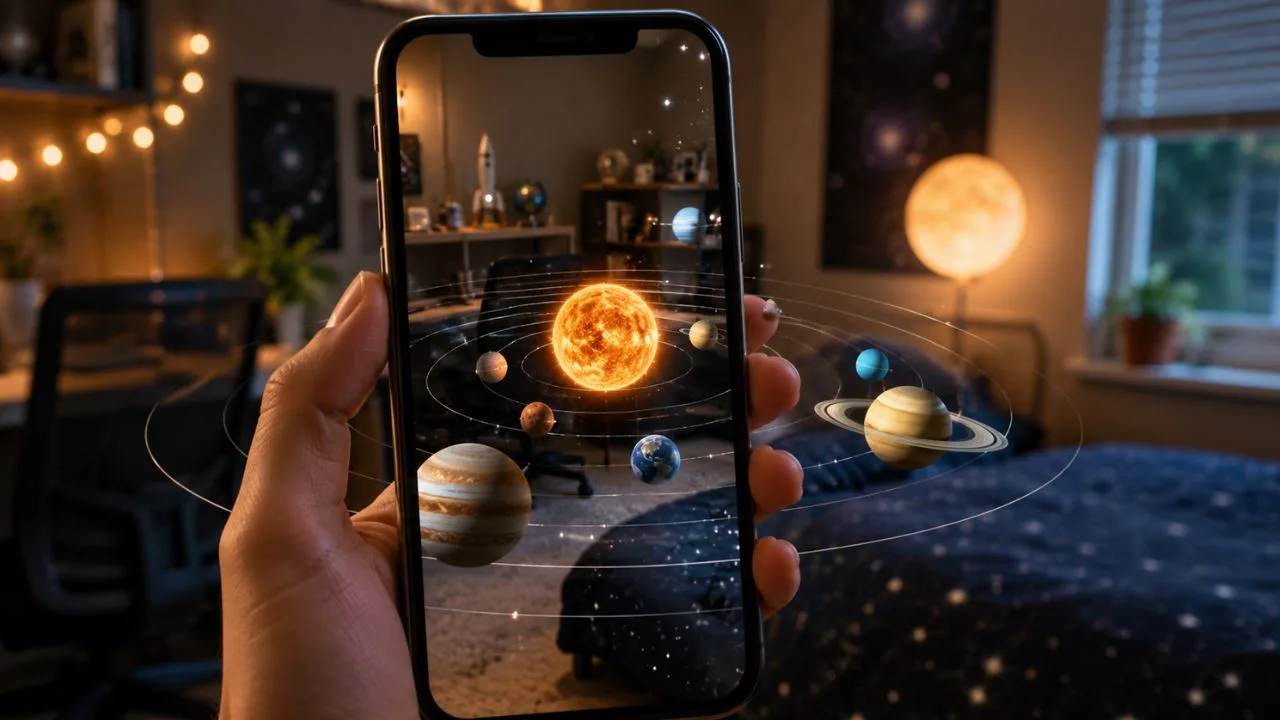
Snapchat friendships can sometimes feel difficult to understand. You may exchange Snaps with someone every day, maintain a long Snapstreak, and frequently open their messages, but still wonder where you stand on their Best Friends list. The Snapchat Solar System offers a visual way to understand that position.
Available through Snapchat Plus, the feature turns a user’s closest Snapchat friendships into a small virtual solar system. The person whose Friendship Profile you are viewing becomes the Sun, while your Bitmoji appears on a planet representing your position among their eight most frequently contacted friends.
Seeing the Snapchat Friend Solar System is relatively easy, but several conditions must be met. You need an active Snapchat+ subscription, the feature must be enabled in your subscription settings, and the relevant Best Friends badge must appear on the person’s Friendship Profile.
This guide explains how to see the Snapchat Solar System, what every Snapchat planet means, why the feature may not appear, and how the rankings can change. It also clears up common confusion about whether the planet shows your ranking or your friend’s ranking.
What Is the Snapchat Solar System?
The Snapchat Solar System is a Snapchat+ feature that represents close Snapchat friendships using planets. Instead of showing a numbered list, Snapchat assigns Mercury, Venus, Earth, Mars, Jupiter, Saturn, Uranus, or Neptune based on a person’s position in another user’s Best Friends list.
The friend whose profile you open is represented as the Sun because the ranking belongs to that person. Your Bitmoji is then placed on one of the eight planets surrounding the Sun. A planet closer to the Sun represents a higher position on that person’s Snapchat Best Friends list.
For example, Mercury represents the first position because it is the closest planet to the Sun. Neptune represents the eighth position because it is the farthest planet included in the Snapchat Solar System. The feature therefore follows the real order of planets in our solar system.
The system does not measure the quality, history, or emotional importance of a friendship. It mainly reflects how frequently people Snap and Chat with one another on the platform. A close offline friend may appear farther away if your recent Snapchat interaction has been limited.
What Do You Need to Access the Snapchat Solar System?
The first requirement is an active Snapchat Plus subscription. The Solar System is not generally available through the standard free version of Snapchat. Snapchat+ provides access to premium, experimental, personalized, and early-release features within the application.
Subscription prices can differ depending on your country, device, billing period, app store, and available plan. Instead of relying on an old price mentioned online, open your Snapchat settings and select Snapchat+ to see the current cost available for your account.
The Snapchat Solar System must also be switched on. Snapchat disables it by default for first-time Snapchat+ subscribers, so purchasing a subscription may not make the planets appear immediately. You need to visit the Snapchat+ feature management page and enable the Solar System manually.
Finally, you must have a qualifying friendship connection with the person whose profile you are checking. If no gold-ringed Best Friends badge appears, Snapchat may not have enough qualifying interaction to place you within the relevant friendship ranking.
How to Turn On the Snapchat Solar System
Open Snapchat and tap your Bitmoji or profile icon in the upper-left corner. This takes you to your main profile page, where you can view your Snapcode, Stories, friends, public profile options, account settings, and Snapchat+ membership details.
Tap the Snapchat+ membership card near the top of your profile. The membership area contains the premium features available for your account. The exact order of these options may change as Snapchat updates the app or introduces additional Snapchat Plus features.
Scroll through the feature list until you find Solar System or Friend Solar System. Turn on the toggle beside the feature. Once activated, Snapchat can display the gold-ringed friendship badge and the related planet view on qualifying Friendship Profiles.
After enabling the setting, return to the Chat screen and check a friend’s profile. Restarting Snapchat may help if the option was enabled but does not appear immediately. Updating the application may also be necessary when your installed version is outdated.
How to See the Snapchat Solar System With Snapchat Plus
Start from the Snapchat camera screen and swipe right to open your conversations. Find the person whose friendship position you want to examine. You can use the search option if the conversation is not currently visible near the top of your Chat list.
Tap the person’s Bitmoji or profile icon rather than opening only the conversation. This takes you to the Friendship Profile, where Snapchat displays saved Snaps, saved messages, Snapscore information, available friendship features, and other details connected with that person.
Look for a Best Friends badge surrounded by a gold ring. The gold ring shows that the badge can be opened. Tap the badge, and Snapchat should display a Friend Solar System scene with the other person represented as the Sun.
Find your Bitmoji inside the scene and identify the planet surrounding it. That planet represents your position in the other person’s Best Friends list. Mercury means you occupy the first position, while Neptune means you occupy the eighth position.
Whose Best Friends Ranking Are You Viewing?
One of the most confusing parts of the Snapchat Solar System is understanding whose ranking appears. When you open someone’s Friendship Profile and tap the gold-ringed badge, the planet shows your position in that person’s Solar System.
The profile owner is represented as the Sun because it is their ranking that you are viewing. You are represented by the planet. Therefore, seeing Mercury means you are first in their Snapchat Best Friends ranking, rather than confirming that they are first in yours.
Your friend’s position in your own ranking could be completely different. You might be their Mercury while they are your Mars, Jupiter, or another planet. Snapchat activity does not always happen at the same frequency in both directions, so the positions may not match.
The Solar System should therefore not automatically be interpreted as a mutual relationship ranking. It provides one perspective at a time. To understand the feature correctly, remember this simple rule: the person shown as the Sun owns the Best Friends list being displayed.
Snapchat Planets in Order and Their Meanings
The Snapchat planet order follows the same sequence as the planets moving away from the Sun. The closer your planet is to the person shown as the Sun, the higher your position is in their current Best Friends ranking.
Mercury, Venus, Earth, and Mars represent the first four positions. These planets suggest that you are among the people with whom that user interacts most frequently. Mercury is the highest possible position available in the Friend Solar System.
Jupiter, Saturn, Uranus, and Neptune represent positions five through eight. These positions still place you among that person’s eight Best Friends on Snapchat, although you are farther from the top of the interaction-based ranking.
The planets should not be treated as permanent labels. Snapchat updates Best Friends regularly according to recent communication activity. Your assigned planet can move closer to or farther from the Sun when interaction habits change.
| Snapchat planet | Best Friends position | Simple meaning |
|---|---|---|
| Mercury | 1st | You are their top Snapchat Best Friend |
| Venus | 2nd | You are second in their Best Friends ranking |
| Earth | 3rd | You are third in their Best Friends ranking |
| Mars | 4th | You are fourth in their Best Friends ranking |
| Jupiter | 5th | You are fifth in their Best Friends ranking |
| Saturn | 6th | You are sixth in their Best Friends ranking |
| Uranus | 7th | You are seventh in their Best Friends ranking |
| Neptune | 8th | You are eighth in their Best Friends ranking |
What Does Mercury Mean on Snapchat?
Mercury is the first planet in the Snapchat Solar System and represents the number-one position. When your Bitmoji appears with Mercury, you are currently the person that the profile owner interacts with most frequently through qualifying Snapchat activity.
This can include regularly sending Snaps, exchanging Chat messages, and maintaining frequent communication. Snapchat does not publicly provide the complete formula or exact points used to calculate every position, so users cannot manually calculate the ranking with complete accuracy.
Being Mercury does not necessarily mean you are that person’s closest friend in real life. It only means Snapchat currently places you first based on the interaction signals used by its Best Friends system. Offline conversations and activity on other apps are not included.
The Mercury position can also change. Another friend may move into first place if that person begins exchanging more Snaps and messages with them. For that reason, the Snapchat planet meaning should be treated as a changing activity indicator rather than a permanent friendship title.
What Does Neptune Mean on Snapchat?
Neptune is the eighth and final planet in the Snapchat Friend Solar System. If you appear as Neptune, you currently occupy the eighth position in that person’s Best Friends ranking and remain among the eight friends included in the feature.
Some users incorrectly assume Neptune means the friendship is unimportant. In reality, it still indicates that you qualify for the person’s top eight Snapchat contacts. The planet is simply the farthest position included in the ranking.
Neptune may appear when you communicate regularly but the person has seven other friends with whom they interact more often. It may also appear after communication decreases, especially when the person becomes more active with new friends or existing contacts.
If your planet moves from Neptune to Uranus, Saturn, or a closer planet, your position has risen. If your interaction decreases further, the badge or Solar System placement may eventually disappear because you are no longer within the qualifying top eight.
How Snapchat Decides the Planet Positions
Snapchat explains that Best Friends are the people you Snap and Chat with the most. The company does not provide a public breakdown showing exactly how many points each Snap, message, call, reply, Story interaction, or other action contributes to the ranking.
Because the formula is private, websites or videos claiming to provide an exact Snapchat Solar System calculation should be approached carefully. There is no reliable public method for entering a certain number of Snaps and predicting an exact planet position.
Recent interaction appears more useful than assuming a ranking will remain fixed because of past activity. A person who was once your most frequent contact can move down the list if you begin communicating more regularly with other users.
The Best Friends list is also updated regularly rather than being a permanent record. That is why the planet visible today may be different later. Movement does not automatically indicate a personal problem; it can simply reflect ordinary changes in messaging habits.
Snapchat Solar System Versus the Best Friends List
The standard Snapchat Best Friends list highlights the people you Snap and Chat with most frequently. Snapchat can show up to eight Best Friends, and these contacts may appear prominently on the Send To screen and within the Chat area.
The Snapchat Solar System presents similar relationship data from another perspective. Instead of showing only that someone is a Best Friend, it uses planets to communicate the user’s position within a qualifying friend’s ranking.
Snapchat+ also offers an Extended Best Friends List feature in some accounts. This can show your current eight Best Friends, the next eight Upcoming Best Friends, and movement since the last time you checked the list.
The Extended Best Friends List should not be confused with the Friend Solar System. The extended list helps you examine your own current and upcoming Best Friends, while the Solar System shows your planet position when viewing a qualifying friend’s profile.
Snapchat Solar System Versus Friend Emojis
Friend Emojis are symbols displayed beside names in Snapchat and can represent different interaction patterns. Depending on your activity and settings, an emoji may indicate a Best Friend, number-one Best Friend, mutual Best Friend, Snapstreak, or another friendship status.
The Friend Solar System uses a more visual ranking system. Rather than displaying one small emoji beside the person’s name, it creates a separate scene showing your Bitmoji on a planet surrounding the other person’s Bitmoji.
Both features can change according to your activity, but they serve slightly different purposes. Friend Emojis offer fast information while scrolling through conversations, whereas the Solar System provides a deeper look from within the Friendship Profile.
Customizing Friend Emojis does not necessarily change your planet or actual Best Friends position. The appearance of an emoji may be adjusted, but the underlying interaction-based ranking continues to depend on how Snapchat evaluates your communication patterns.
Why Can’t I See the Snapchat Solar System?
The most common reason is that you do not have an active Snapchat+ subscription. Although someone else may subscribe to Snapchat Plus, that does not automatically unlock premium Solar System access on your account. The feature must be available through your own subscription.
Another common reason is that the Solar System toggle remains disabled. Because it is off by default for first-time subscribers, open your profile, select your Snapchat+ membership card, locate Solar System, and confirm that the switch is turned on.
You may also be checking a profile that does not display the qualifying gold-ringed badge. If Snapchat does not place the friendship within the required Best Friends activity, there may be no Solar System available to open for that particular person.
Technical issues can also prevent the feature from loading. An outdated Snapchat version, temporary application error, weak internet connection, expired subscription, incomplete feature rollout, or damaged app cache may interfere with the badge or planet display.
How to Fix Snapchat Planets Not Showing
Begin by checking your Snapchat+ membership. Open your profile and tap the subscription card to confirm that the plan is active. If a payment failed, the trial expired, or the subscription was cancelled, premium features may become unavailable.
Next, confirm that the Solar System feature is enabled. Turn the setting off, close Snapchat, reopen the app, and enable it again. This simple refresh may help when the feature is active in your account but fails to appear correctly.
Visit the Apple App Store or Google Play Store and install any available Snapchat update. New and experimental features often depend on recent app versions, so an outdated installation may display a different menu or fail to load the current interface.
If the issue continues, restart your phone and test another internet connection. You can also clear Snapchat’s cache from the application settings without deleting saved Memories. Contact Snapchat Support when the feature remains unavailable despite an active subscription and updated application.
Does Your Friend Know When You Check Their Planet?
Opening a Friendship Profile is different from sending a message or Snap. Snapchat does not normally present the Solar System as a public page where people can see a list of everyone who checked their planet position.
However, users should remain careful when taking screenshots. Snapchat states that screenshotting a Friendship Profile may notify the other person. Avoid assuming that every action inside a Friendship Profile will always remain completely invisible.
The Solar System ranking is also not displayed publicly on your Story or public profile. It is accessed through a specific Friendship Profile and relates to the interaction patterns between Snapchat accounts.
Even with this privacy, it is wise to avoid using the feature to repeatedly monitor a friend or pressure someone about their ranking. Snapchat planets are designed as a fun subscription feature, not as reliable proof of loyalty, affection, or relationship quality.
Can You Change Your Snapchat Planet?
There is no button that allows you to select Mercury, Venus, Earth, or another planet manually. Snapchat assigns positions through its Best Friends system, so changing the planet requires a natural change in communication patterns rather than editing a profile setting.
Sending more genuine Snaps and participating in regular conversations may influence your position over time. However, repeatedly sending unwanted or meaningless messages simply to manipulate the ranking can annoy the other person and reduce the quality of the friendship.
You cannot control how often your friend communicates with other people. Even when your own interaction increases, another contact may remain higher because that user exchanges more Snaps or messages with them.
The healthiest approach is to use Snapchat normally. Let the planet reflect your real communication habits rather than treating the feature as a competition. A friendship should not be judged only by whether Snapchat shows Mercury, Neptune, or no planet at all.
Does Pinning a Number-One Best Friend Change the Planet?
Snapchat+ allows subscribers to privately pin one person as their number-one Best Friend. This feature makes an important contact easier to access and gives subscribers additional control over their own Snapchat experience.
Pinning someone should not be confused with naturally becoming the first person in another user’s interaction ranking. Your private pin represents your choice, while their Solar System reflects their side of the Snapchat Best Friends relationship.
Only you can see the friend you have privately pinned as your number-one Best Friend. Pinning a person does not send them a notification announcing that you selected them, although Snapchat may offer additional mutual friendship experiences when both users make related choices.
Therefore, pinning someone does not guarantee that you will appear as Mercury in their Solar System. To understand the distinction, remember that private pinning is a subscriber-controlled preference, while the planet view is connected with Snapchat’s activity-based ranking.
Can the Snapchat Solar System Be Wrong?
The system may sometimes feel inaccurate because users expect it to measure emotional closeness. Snapchat can only evaluate behavior that happens within its own platform, so it does not understand private phone calls, face-to-face meetings, family relationships, or messages exchanged elsewhere.
A person might therefore appear as Mercury despite being a casual online contact, simply because many Snaps are exchanged. Meanwhile, a lifelong friend could appear as Saturn or Neptune because the two people normally communicate outside Snapchat.
Technical delays may also create a temporary difference between recent activity and the planet displayed. Best Friends rankings are updated regularly, but that does not necessarily mean every interaction causes an immediate visible planet change.
Rather than calling the system completely wrong, it is more accurate to describe it as limited. It measures selected Snapchat interaction signals, not the full meaning of a friendship. The result may be technically consistent with app usage while feeling emotionally inaccurate.
Tips for Using the Snapchat Friend Solar System Responsibly
Use the planets as a light and entertaining feature. Seeing Earth, Jupiter, or Neptune can be interesting, but it should not become a reason to argue with friends or demand explanations about whom they contact through Snapchat.
Remember that rankings naturally move. School schedules, work responsibilities, travel, new group conversations, family events, and changing routines can all affect how often people send Snaps or messages during a particular period.
Avoid sending excessive Snaps only to move closer to the Sun. Unwanted messages can feel like spam and may damage the relationship the user is trying to improve. Meaningful communication is more valuable than artificially increasing an activity count.
Parents and younger users should also understand that the planet order can create unnecessary social pressure. Explaining that the system measures app interaction rather than friendship value can help prevent misunderstandings, jealousy, and unhealthy competition.
Is Snapchat Plus Worth It for the Solar System?
The value of Snapchat+ depends on how often you use the application and which premium features interest you. The Friend Solar System may be enjoyable for highly active users who are curious about their Snapchat Best Friends rankings.
However, subscribing only to check one planet may not provide enough long-term value for every user. Snapchat+ includes additional customization, AI, Story, friendship, replay, Bitmoji, notification, and experimental features that can make the complete subscription more useful.
Review the current subscription options shown inside your Snapchat account before paying. Pricing and plan availability may vary by country and device, while particular experimental features may change, roll out gradually, or become unavailable over time.
The standard free application continues to provide Snapchat’s main messaging and camera experience. Snapchat Plus is better viewed as an optional upgrade for users who want additional control, customization, early features, and deeper friendship insights.
Final Thoughts
To see the Snapchat Solar System, subscribe to Snapchat+, open the membership settings, and make sure Solar System is enabled. Then visit a friend’s Friendship Profile and tap the Best Friends badge surrounded by a gold ring.
The other person will appear as the Sun, while your Bitmoji will appear with a planet. Mercury represents first place in their Best Friends ranking, and the remaining planets continue in order until Neptune, which represents eighth place.
Your Snapchat planet can change because Best Friends rankings are updated according to communication activity. Snapchat does not publish its complete ranking formula, so no outside calculator can guarantee a particular position.
Most importantly, treat the feature as entertainment rather than a complete measurement of friendship. A planet shows how your Snapchat activity currently compares with other contacts, but it cannot measure trust, emotional support, shared history, or real-life closeness.
Frequently Asked Questions
How do I access the Snapchat Solar System?
Subscribe to Snapchat+, enable Solar System from the membership feature page, and open a friend’s Friendship Profile. Tap the gold-ringed Best Friends badge to see your planet.
What planet is number one on Snapchat?
Mercury is the number-one planet because it is closest to the Sun. Seeing Mercury means you currently occupy the first position in that person’s Snapchat Best Friends ranking.
Why is the Snapchat Solar System not showing?
The feature may be disabled, your Snapchat+ subscription may be inactive, or the required badge may not appear for that friendship. Update Snapchat and check the Solar System toggle.
Can someone see if I check their Snapchat Solar System?
Snapchat does not normally show a public list of people who checked a Solar System. However, screenshotting a Friendship Profile may notify the friend, so avoid unnecessary screenshots.
Does Neptune mean someone is not your friend?
No. Neptune represents the eighth position in a Snapchat Best Friends ranking. It still places the person within the eight contacts included in that user’s Friend Solar System.