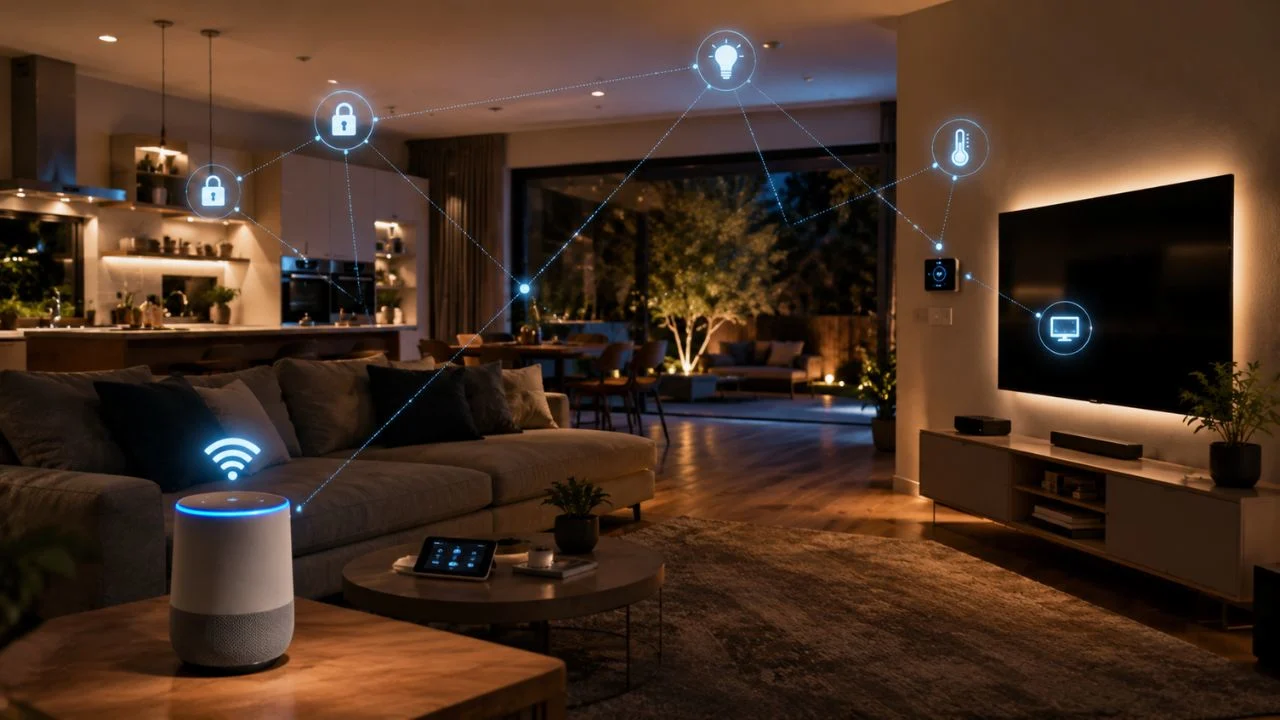
A smart home is a house that uses connected technology to make daily life easier. Devices such as lights, cameras, locks, and thermostats can connect to the internet. You can control many of these devices using a phone, tablet, or voice assistant. Some devices can also work automatically based on time, movement, or temperature.
Smart home technology is designed to improve comfort, safety, and convenience. It can help you turn off lights without leaving your bed. It can also lock doors, check cameras, or adjust room temperature from another place. This makes everyday household tasks faster and easier to manage.
A smart home does not need to contain expensive or complicated equipment. You can begin with one simple device, such as a smart bulb or smart plug. More devices can be added later when you understand how they work. This makes smart home technology suitable for different homes and budgets.
The main purpose of a smart home is to give people more control over their living space. It can save time, reduce energy waste, and improve home security. However, smart devices should be chosen and protected carefully. Strong passwords and trusted products are important for keeping a smart home safe.
How Does a Smart Home Work?
A smart home works through devices that connect and communicate with each other. Most smart devices use Wi-Fi, Bluetooth, or another wireless connection. This allows them to receive instructions from an app or control system. Some systems use a central hub to manage several devices together.
The user normally controls the smart home through a smartphone application. The app may show which lights are on or whether a door is locked. It can also send alerts when motion is detected or a device needs attention. This gives users useful information even when they are away from home.
Voice assistants can also control many smart home devices. A person can say a command to switch on a light or play music. The voice assistant sends the request to the connected device. The device then completes the action within a few seconds.
Smart homes can also use automation to complete tasks without direct commands. A light may turn on when someone enters a room. A thermostat may lower the temperature when everyone leaves the house. These automatic actions can make the home more comfortable and efficient.
Common Smart Home Devices
Smart lights are among the easiest smart home devices to use. They can be turned on, dimmed, or changed through a mobile app. Some smart bulbs can also change colors for different moods. Timers can switch them off automatically to reduce wasted electricity.
Smart thermostats control heating and cooling inside the home. They can learn when people are usually at home or away. The thermostat may adjust the temperature to improve comfort and save energy. Users can also control it remotely using their phones.
Smart security devices include cameras, doorbells, sensors, and locks. A smart doorbell may show who is standing outside the house. Smart locks can allow approved people to enter without a normal key. Security cameras can send alerts when they notice movement.
Smart speakers, plugs, and home appliances are also widely used. Smart plugs can turn regular devices on or off through an app. Some refrigerators, washing machines, and ovens include connected features. These devices can provide reminders, updates, and remote controls.
Benefits of a Smart Home
One major benefit of a smart home is convenience. Many household tasks can be completed with a tap or voice command. You can control different devices without walking through every room. This can be especially helpful for older adults or people with limited movement.
Smart homes can also improve security. Cameras and sensors can alert users when unusual activity happens. Smart locks allow homeowners to check whether doors are secured. These tools can provide extra awareness when people are at work or travelling.
Energy saving is another useful benefit of smart home technology. Smart lights can turn off when rooms are empty. Thermostats can reduce heating or cooling when it is not needed. These small changes may reduce energy use and lower household bills.
Smart home systems can also be adjusted to match personal routines. Curtains can open in the morning while lights slowly turn on. Music can begin when someone arrives home. Personal settings make the living space feel more comfortable and organized.
Possible Problems With Smart Homes
Smart home devices often depend on the internet. Some features may stop working when the connection becomes weak or unavailable. Users may still be able to control certain devices manually. However, remote access and automation may become limited.
Privacy is another important concern with smart technology. Cameras, microphones, and apps may collect information about users. People should understand what data a device stores and shares. Buying from trusted companies can reduce some privacy risks.
Security problems can happen when users choose weak passwords. An attacker may try to access poorly protected smart devices. Each account should use a strong and unique password. Software updates should also be installed to fix known security problems.
Different smart devices may not always work well together. One device may support a system that another device cannot use. Users should check compatibility before making a purchase. Choosing devices from the same platform can make setup easier.
How Smart Homes Save Energy
Smart lights help reduce electricity use by turning off automatically. Motion sensors can detect when nobody is inside a room. The lights can then switch off without someone remembering to do it. Schedules can also prevent lights from staying on all night.
Smart thermostats can manage room temperature more carefully. They may reduce heating when the house is empty. They can increase comfort shortly before people return. This reduces the need to heat or cool an unused home.
Smart plugs can measure how much electricity some devices use. They can also stop power from reaching devices at certain times. This may reduce energy wasted by equipment left on by mistake. The app can help users understand their energy habits.
Smart curtains and blinds may also support energy saving. They can close during hot parts of the day to block sunlight. In colder weather, they can open to let warmth enter. These actions can reduce pressure on heating and cooling systems.
Is a Smart Home Safe?
A smart home can be safe when devices are protected correctly. Users should change the default password during setup. The new password should be difficult for another person to guess. Using different passwords for different accounts provides extra protection.
Keeping devices updated is also important for smart home safety. Manufacturers release updates to fix problems and improve security. Automatic updates should be enabled when the option is available. Older devices that no longer receive updates may become less secure.
Homeowners should also protect their Wi-Fi network. The router should use a strong password and modern security settings. Guests can be placed on a separate network when possible. This helps protect important devices from unwanted access.
Cameras and microphones should only be placed where they are truly needed. Users should review privacy settings inside each device application. Features that are not used can be turned off. Careful setup can make smart home technology safer and more private.
How to Start Building a Smart Home
The easiest way to begin is by choosing one clear goal. You may want better lighting, stronger security, or lower energy use. Starting with one purpose prevents the setup from becoming confusing. It also helps you avoid buying devices that you do not need.
A smart bulb or smart plug is a simple first purchase. These devices are usually easy to install and understand. They allow users to learn how apps and voice controls work. More advanced devices can be added after gaining experience.
Before buying any product, check whether it works with your phone and other devices. Read the product description and compatibility information carefully. Some devices only support certain voice assistants or platforms. Planning ahead can prevent connection problems later.
A smart home should grow slowly based on real needs. There is no reason to replace every normal device at once. Add technology only when it provides a useful benefit. A smaller, well-planned system is often better than a complicated one.
Frequently Asked Questions
What is a smart home?
A smart home is a house with internet-connected devices that can be controlled remotely or automatically. These devices may include lights, cameras, locks, thermostats, and appliances.
Do smart homes need the internet?
Most smart home features need an internet connection. Some devices can still perform basic actions without it, but remote control and cloud features may stop working.
Are smart homes expensive?
A smart home can be expensive, but it does not have to be. Users can begin with one affordable device and add more products slowly.
Can smart homes save electricity?
Yes, smart lights, plugs, and thermostats can reduce wasted energy. They can turn devices off or adjust settings when nobody needs them.
Are smart home devices safe?
Smart devices can be safe when they use strong passwords, updated software, and secure Wi-Fi. Users should also review privacy settings and buy trusted products.
Conclusion
A smart home uses connected devices to make daily living easier, safer, and more comfortable. These devices can control lighting, security, temperature, entertainment, and appliances. Users can manage them through apps, voice commands, or automatic schedules. This gives people greater control over their homes.
Smart home technology can also help save energy and time. Lights can switch off automatically, while thermostats can adjust temperatures based on daily routines. Security systems can send alerts even when the homeowner is away. These features can make ordinary household tasks easier to manage.
However, smart homes also require careful planning. Devices should be compatible, secure, and useful for the people living in the house. Strong passwords, software updates, and privacy settings are very important. Users should not buy technology simply because it is popular.
The best smart home is not always the one with the most devices. It is the one that solves real problems and fits the user’s lifestyle. Starting small makes the process easier and less expensive. Over time, helpful devices can be added to create a safer and smarter living space.