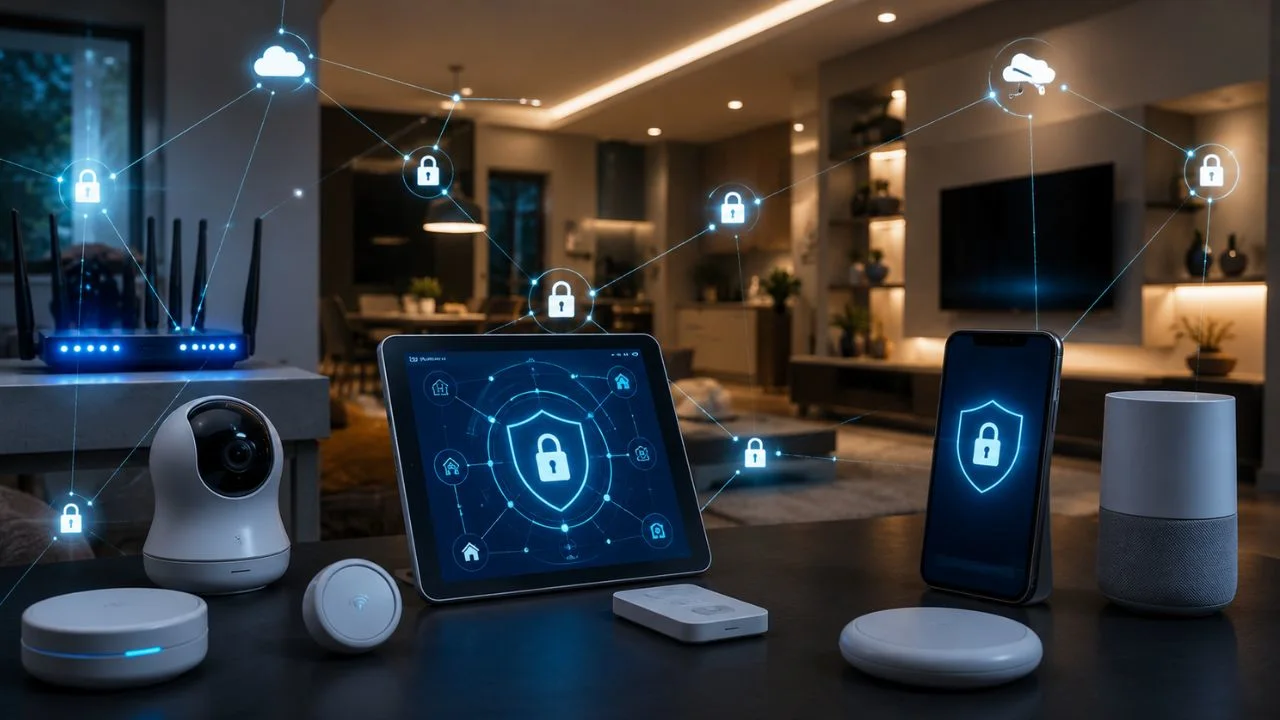
Smart speakers, security cameras, doorbells, thermostats, televisions, lights, locks, appliances, and baby monitors can make everyday life more convenient. However, every device connected to the internet can create another potential entry point into your home network, online accounts, personal data, or private living space.
A hacked smart device may allow an intruder to view a camera feed, control connected equipment, collect household information, or use the device as part of a larger malicious network. The risk varies by product, configuration, manufacturer support, and the sensitivity of the information the device can access.
Protecting a smart home does not require advanced cybersecurity knowledge. The most effective precautions include securing the Wi-Fi router, replacing default passwords, enabling multifactor authentication, installing firmware updates, separating connected devices from sensitive computers, and turning off unnecessary features.
This guide explains how to protect smart home devices from hackers using practical and current security measures. It covers IoT security, router protection, smart camera privacy, device updates, network segmentation, account security, warning signs, incident response, and safer purchasing decisions.
What Is Smart Home Hacking?
Smart home hacking occurs when an unauthorized person gains control of a connected device, its supporting application, the user’s cloud account, or the network through which the device communicates. The attacker may exploit a technical vulnerability, guess a weak password, or use credentials stolen in another data breach.
Not every attack requires sophisticated technical skills. Many incidents begin with default usernames, reused passwords, outdated firmware, exposed remote-access features, or compromised email accounts. If the same password protects several services, one breach can give criminals access to multiple smart-home accounts.
The consequences depend on the type of device involved. Access to a lightbulb may be inconvenient, while access to a smart lock, indoor camera, baby monitor, health device, or alarm system may create serious privacy or safety concerns.
A vulnerable device can also affect more than its owner. A CISA advisory published in April 2026 described malicious infrastructure made largely from compromised small-office and home-office routers, IoT products, and other smart devices, demonstrating how neglected equipment can be used in wider cyber operations.
Why Smart Home Cybersecurity Matters
Smart home products often collect more information than people realize. A camera may store video, a voice assistant may retain audio activity, a thermostat may reveal occupancy patterns, and a connected lock may record when people enter or leave the property.
Some devices are placed in highly private spaces, including bedrooms, nurseries, living rooms, and home offices. NIST notes that connected products offer convenience but introduce security and privacy risks, particularly because they are frequently used in intimate areas of the home.
Attackers may also use one compromised product to search for other vulnerable devices on the network. Keeping work computers, financial records, personal phones, and insecure IoT products on the same unrestricted network can increase the possible impact of one successful intrusion.
No internet-connected device can be guaranteed completely secure. The realistic goal is to reduce unnecessary exposure, make unauthorized access significantly harder, detect suspicious activity, and create a recovery plan before an incident occurs.
A Quick Smart Home Security Checklist
Begin by changing the router’s administrative password and the Wi-Fi password. These are two different credentials: one controls who can join the network, while the other controls who can change the router’s security settings.
Confirm that your wireless network uses WPA3 Personal or, when WPA3 is unavailable, WPA2 Personal. The FTC identifies WPA3 as the newer and stronger option and advises replacing routers that offer only outdated WPA or WEP encryption.
Change every device’s default username and password, enable two-factor authentication, and turn on automatic updates. Disable remote management, voice purchasing, unused microphones, unfamiliar integrations, and any feature you do not need.
Finally, review the router’s connected-device list. Identify every phone, television, appliance, camera, speaker, console, printer, and unknown connection. Remove devices that are no longer used and investigate anything you cannot recognize.
1. Research Security Before Buying a Smart Device
Smart home security begins before a product enters your home. Research the manufacturer, support history, security features, privacy practices, and the amount of data the product collects. A low purchase price may not be worthwhile if the company quickly stops supporting its devices.
Check whether the product supports unique passwords, multifactor authentication, encryption, automatic updates, access logs, account notifications, and a clear reset process. For cameras, confirm that stored recordings, livestreams, and account information can be encrypted.
Look for a clearly stated software-support period. An unsupported device may continue working normally while no longer receiving patches for newly discovered vulnerabilities. NIST advises consumers to consider replacing or retiring older smart products that cannot receive security updates.
Search for recent breach reports, unresolved complaints, and announcements about discontinued services. NIST’s updated 2026 manufacturer guidance places additional emphasis on maintenance, customer communication, product support, and end-of-life planning throughout an IoT product’s lifecycle.
2. Secure the Home Wi-Fi Router First
The router is the central connection point for most smart home devices. A securely configured camera can still face unnecessary risk when the router uses an exposed administrator account, weak encryption, outdated software, or dangerous remote-management settings.
Replace both the default router administrator password and the default Wi-Fi password. Do not include your surname, street address, router model, or other information that makes the credentials easier to guess. Use different passwords for the router account and the wireless network.
Select WPA3 Personal encryption where supported. WPA2 Personal remains an acceptable alternative for older compatible devices, but WEP and original WPA are outdated. If software updates do not provide WPA2 or WPA3, replacing the router is the safer long-term choice.
Turn on the router’s built-in firewall and install available software updates. Registering the router with its manufacturer or checking with your internet service provider may help you receive notices about new updates and security support.
3. Change Every Default Username and Password
Manufacturers sometimes ship devices with standard login details intended to simplify setup. If those credentials remain unchanged, attackers may be able to find them in manuals, online databases, forums, or automated scanning tools.
Create a separate password for every smart device account. Password reuse is particularly dangerous because attackers routinely try credentials exposed in one breach on unrelated services. The FTC specifically warns against reusing passwords for internet-connected devices.
Use long passwords or passphrases that are difficult to guess. A password manager can generate and store unique credentials, allowing you to protect dozens of devices without depending on small variations of the same memorable password.
Do not forget less obvious accounts. Your router, camera application, smart-home hub, voice assistant, cloud-storage subscription, manufacturer portal, and email account may all control some part of your home automation system.
4. Enable Two-Factor Authentication
Two-factor authentication requires a second form of verification in addition to a password. Even when an attacker obtains the correct password, the extra step can prevent access to the smart home account.
Enable it for every manufacturer account that supports it, particularly security cameras, doorbells, alarm systems, smart locks, voice assistants, cloud recordings, and the email account used for password recovery. NIST and the FTC both recommend multifactor authentication for connected products.
An authenticator application or physical security key is generally safer than receiving login codes through text or email when these stronger options are available. The FTC notes that security keys provide the strongest common form of two-factor authentication.
Never share an authentication code with another person. A caller pretending to represent technical support may already know your password and need only the verification code to complete the account takeover.
5. Turn On Automatic Firmware Updates
Smart devices use firmware, mobile applications, cloud platforms, and supporting software. Security weaknesses can exist in any of these components, so protecting only the physical device is not enough.
Enable automatic updates for the device, control application, smart-home hub, router, and phone whenever the option is available. Manufacturers frequently release updates to correct security flaws, stability problems, and privacy weaknesses.
Check manually when automatic updating is unavailable. The update option may appear inside the device application, router administration panel, manufacturer’s support site, or a menu labeled firmware, software, system, maintenance, or device information.
Remove unsupported products from the network. A functioning device may still be unsafe when the manufacturer has ended security support or abandoned the cloud service. Replacing it can be more responsible than continuing to rely on an unpatched product.
6. Create a Separate Network for IoT Devices
Network segmentation places smart home products on a different network from devices containing more sensitive information. This can reduce the ability of an attacker to move directly from a compromised camera or appliance to a work computer or personal storage system.
Many modern routers allow users to create a guest network or dedicated IoT network. Connect cameras, televisions, speakers, appliances, plugs, bulbs, and other smart products to that network while keeping computers and primary phones on the main network.
NIST recommends separating smart home devices from computers containing sensitive documents. The FTC also advises considering a separate network for security cameras so a compromise elsewhere does not provide easy access to camera systems.
Network separation does not replace passwords, updates, or authentication. It is an additional protective layer that limits the possible damage when one product becomes vulnerable or a visitor connects an infected device.
7. Disable Remote Management, WPS, and Unused Features
Convenient features can create unnecessary security exposure when they are enabled but never used. Review both the router and each smart device for functions that allow access from outside the home.
The FTC recommends turning off router remote management, Wi-Fi Protected Setup, and Universal Plug and Play when they are unnecessary. These features simplify administration and device discovery but may weaken network security.
Review the smart device itself for unused microphones, cameras, location tracking, cloud storage, voice purchasing, guest access, integrations, developer modes, and remote-control options. NIST recommends disabling capabilities that do not serve a useful household purpose.
Removing unused features also supports privacy. A capability cannot accidentally collect information, accept instructions, or create an entry point when it has been properly turned off and remains disabled.
8. Review Privacy and Data-Collection Settings
Cybersecurity protects a device from unauthorized access, while privacy controls how the manufacturer and its partners collect, store, analyze, and share information. A device can be technically secure while still gathering more personal data than the household expects.
Review whether recordings are stored locally or in the cloud, how long they are retained, who can access them, and whether they are used to improve services. NIST advises adjusting audio, video, and data-sharing preferences to match the household’s comfort level.
Disable optional advertising tracking, unnecessary diagnostic sharing, voice-history retention, behavioral monitoring, and data use that is unrelated to the device’s essential purpose. Smart television applications may collect viewing information even when they are rarely opened.
Discuss privacy expectations with everyone living in the home. Installing cameras, microphones, or voice assistants affects guests, children, relatives, workers, and roommates as well as the person who purchased the product.
9. Protect Smart Security Cameras and Baby Monitors
Security cameras and baby monitors require stronger precautions because they may transmit live audio and video from private areas. A compromised feed can reveal household routines, conversations, children, valuables, and times when the property is empty.
Use a unique camera password, enable two-factor authentication, encrypt recordings, and place cameras on a separate network. Keep the camera firmware and viewing application updated automatically whenever possible.
Review camera access logs for unknown IP addresses, unfamiliar devices, unusual login times, or sessions from unexpected locations. The FTC specifically recommends checking IP camera logs for activity that does not match normal household use.
Position indoor cameras carefully. Avoid recording bathrooms, changing areas, sensitive computer screens, passwords, financial documents, or other locations where continuous recording creates more risk than value.
10. Secure Voice Assistants and Smart Speakers
Voice assistants often connect to shopping accounts, calendars, contact lists, music services, smart locks, lights, televisions, and other devices. A poorly secured central account can therefore affect several home systems at once.
Protect the account with a unique password and multifactor authentication. The FTC recommends MFA for voice-assistant accounts because it makes access more difficult even after a password is compromised.
Disable voice purchasing or require a purchase PIN, especially in homes with children or frequent visitors. Review connected skills, applications, integrations, stored recordings, voice histories, and recognized household profiles.
Use the physical microphone or camera-off control when the assistant is not needed during private conversations. Also review whether voice recordings are saved automatically and delete historical data that no longer serves a useful purpose.
11. Secure the Phone and App That Control Your Home
Many smart devices cannot be managed safely when the phone controlling them is insecure. The mobile application may unlock doors, view cameras, change alarm settings, control appliances, or reset other household accounts.
Protect the phone with a strong PIN, biometric lock, current operating system, and automatic application updates. Do not leave an unlocked control device unattended where children, visitors, or strangers can change security-sensitive settings.
Download smart-home applications only from the manufacturer’s verified page or an official application store. Fake or modified applications may steal login details or imitate a legitimate setup process.
Review application permissions regularly. A lighting application may not need permanent microphone, camera, contacts, precise location, or file access. Remove permissions that do not clearly support a feature you use.
12. Limit Household and Guest Access
Do not share one administrator account with every household member. Use individual profiles, family accounts, temporary codes, guest access, or restricted roles when the platform supports them.
A cleaner, contractor, babysitter, guest, or short-term visitor may need temporary access without receiving permanent control over cameras, alarms, locks, stored recordings, or device settings. Remove temporary access immediately when it is no longer required.
Create a guest Wi-Fi network for visitors rather than sharing the primary network password. The FTC notes that this limits how many people know the main password and helps isolate potentially infected guest devices from the primary network.
Explain basic smart home safety to children and other household members. They should know not to share access codes, approve unexpected login prompts, install unknown skills, or obey callers who claim they need a verification code.
13. Monitor Connected Devices and Account Activity
Open the router’s administration panel periodically and review the list of connected clients or devices. Manufacturers may label this section connected devices, wireless clients, attached devices, network map, or DHCP clients.
Rename known devices inside the router interface when possible. Descriptive names such as “living-room television” or “front-door camera” make it easier to recognize a new or unauthorized connection.
Turn on security notifications for new logins, password changes, newly connected devices, camera access, alarm activity, and account recovery. Alerts provide the most value when they reach an email or phone account that is itself strongly protected.
Review shared access, integrations, cloud sessions, and trusted devices every few months. Former residents, old phones, discontinued services, and forgotten third-party applications may retain access long after they are needed.
Warning Signs That a Smart Device May Be Hacked
Unexpected device behavior can indicate unauthorized access, although technical faults and incorrect settings may cause similar symptoms. Warning signs include unfamiliar voices, moving cameras, changed settings, repeated reboots, unusual lights, unexpected recordings, or devices activating without a known command.
Pay attention to unknown account logins, new users, password-reset messages, authentication prompts, deleted recordings, disabled privacy controls, or alerts from unfamiliar locations. These account-level signals may appear before the device’s behavior changes visibly.
A sudden rise in network traffic, slower internet, unknown router connections, or a device communicating continuously when idle may also deserve investigation. Consumer routers may provide basic traffic information, although these indicators do not independently prove an attack.
Do not ignore the router simply because only one smart product appears affected. A compromised router can alter network settings, redirect traffic, expose multiple devices, or allow attackers to regain access after an individual product is reset.
What to Do If a Smart Home Device Is Hacked
Disconnect the suspected device from Wi-Fi, Ethernet, power, or its cloud account when doing so will not create a physical safety risk. A smart lock, alarm, heating system, or medical device may require a more careful process than a speaker or lightbulb.
From a trusted device, change the smart-home account password and the connected email password. Sign out of all sessions, remove unfamiliar users, revoke unknown integrations, and enable multifactor authentication.
Update the device and application, then perform a factory reset using the manufacturer’s official instructions. Reconfigure it with a new password rather than immediately restoring every previous setting or third-party connection.
Inspect the router, change its administrative and Wi-Fi passwords, update its firmware, and review DNS, firewall, remote-management, port-forwarding, UPnP, and connected-device settings. Seek professional support when cameras, locks, alarms, business systems, or repeated compromises are involved.
When to Reset the Entire Smart Home Network
Resetting one device may be sufficient when the problem is clearly isolated and the router remains secure. A wider reset may be appropriate when several products behave strangely, the router administrator account was compromised, or unauthorized users repeatedly return.
Begin by recording the legitimate network configuration and connected products. Download official manuals, preserve necessary evidence, and avoid relying on screenshots or instructions sent by an unknown person claiming to provide support.
Factory-reset the router, install current firmware, configure WPA3 or WPA2, create new administrator and Wi-Fi passwords, and disable unnecessary services. Reconnect each updated device individually rather than allowing everything to return automatically.
This slower method can reveal which product creates the problem and prevents unsupported or forgotten equipment from silently rejoining the network. It also provides an opportunity to place IoT devices on a separate network.
Securely Remove, Sell, or Dispose of Smart Devices
A smart device may retain Wi-Fi details, account tokens, recordings, access codes, schedules, names, addresses, or integration data. Deleting the mobile application does not necessarily remove this information from the product or cloud account.
Before selling, returning, recycling, or giving away a device, remove it from the manufacturer account and every connected platform. Delete stored recordings and remove linked services, household members, payment methods, and automation routines.
Perform a complete factory reset using the official instructions. After resetting, confirm that the product no longer appears in your smart-home application, trusted-device list, router, or cloud dashboard.
Remove unsupported devices even when you do not plan to sell them. NIST research has noted that discontinued support can leave smart products unpatched and vulnerable while owners continue using them without fully understanding the risk.
How to Choose More Secure Smart Home Products
Choose manufacturers that clearly explain authentication, encryption, update delivery, vulnerability reporting, privacy controls, support duration, and end-of-life policies. Avoid products that provide no meaningful security documentation.
Look for automatic authenticated updates, unique device credentials, data protection, access controls, activity logs, secure reset options, and a way to report vulnerabilities. NIST’s consumer IoT baseline identifies commonly needed cybersecurity capabilities for connected products used in homes.
In the United States, the voluntary U.S. Cyber Trust Mark program is intended to help consumers identify wireless IoT products meeting baseline cybersecurity requirements. Eligible categories can include connected cameras, voice-controlled devices, appliances, fitness trackers, garage-door openers, and baby monitors.
As of April 2026, the FCC had selected a new lead administrator to help finalize implementation of the program. Consumers should therefore confirm the status of any label and inspect its accompanying security information rather than assuming every similar-looking symbol is official.
Common Smart Home Security Myths
The first myth is that hackers are interested only in expensive homes. Automated attacks can search widely for exposed routers, default credentials, unsupported cameras, and vulnerable IoT products without knowing anything about the household beforehand.
The second myth is that changing the Wi-Fi password protects everything. It is an important step, but the router administrator account, cloud services, mobile applications, device passwords, firmware, privacy settings, and third-party integrations must also be secured.
The third myth is that an inexpensive device contains no valuable information. Even a basic product may reveal occupancy patterns, provide a foothold on the network, or be recruited into malicious infrastructure.
The final myth is that a device remains secure because it worked safely for several years. Security changes over time as vulnerabilities are discovered and manufacturers end support. A reliable product can become a weak point when it stops receiving updates.
A 30-Minute Smart Home Security Plan
During the first ten minutes, log in to the router and confirm WPA3 or WPA2 encryption. Change the router administrator password and Wi-Fi password when they are weak, reused, or still set to the manufacturer’s default.
During the next ten minutes, review the connected-device list. Identify every item, disconnect products you no longer use, and investigate unknown connections. Create a guest or IoT network when the router supports it.
Use the final ten minutes to secure the most sensitive accounts. Begin with security cameras, baby monitors, smart locks, alarm systems, voice assistants, and the email account connected to them. Enable two-factor authentication and automatic updates.
Schedule a more detailed quarterly review. Examine privacy settings, access logs, household users, app permissions, manufacturer support, integrations, and old devices that should be reset, replaced, or removed.
Final Thoughts on Protecting Smart Home Devices
Protecting smart home devices from hackers begins with the network. A securely configured and updated router, strong encryption, separate administrator credentials, an active firewall, and disabled unnecessary services create a stronger foundation for every connected product.
Each device also needs individual protection. Replace default passwords, use unique credentials, enable two-factor authentication, install updates, disable unused features, and review privacy settings before placing cameras or microphones in sensitive areas.
Network segmentation provides an additional layer of smart home cybersecurity. Separating IoT devices from computers, financial records, work systems, and personal storage can limit the effect of one vulnerable product.
Finally, treat smart home security as an ongoing household routine rather than a one-time setup task. Monitor access, remove outdated products, review permissions, and choose manufacturers that provide transparent security support throughout the expected life of the device.
Frequently Asked Questions
1. Can hackers access smart home devices through Wi-Fi?
Yes. Weak Wi-Fi security, compromised router settings, default passwords, and outdated firmware can expose connected products. Use WPA3 or WPA2 encryption, secure the router, and separate IoT devices from sensitive equipment.
2. Should smart home devices use a separate network?
Yes, when the router supports network separation. An IoT or guest network can limit direct access between smart devices and computers containing personal, work, or financial information.
3. How do I know whether my smart camera has been hacked?
Watch for unknown logins, changed settings, unexpected movement, unfamiliar voices, deleted recordings, or access from strange times and locations. Disconnect and reset the camera when unauthorized access is suspected.
4. Are smart devices safe when they use strong passwords?
Strong passwords significantly improve security, but they are not enough alone. You should also use multifactor authentication, updates, encrypted Wi-Fi, network segmentation, privacy controls, and a secure router.
5. How often should I update smart home devices?
Enable automatic updates whenever possible and check manually every few months. Replace or disconnect products that no longer receive security updates from their manufacturers.