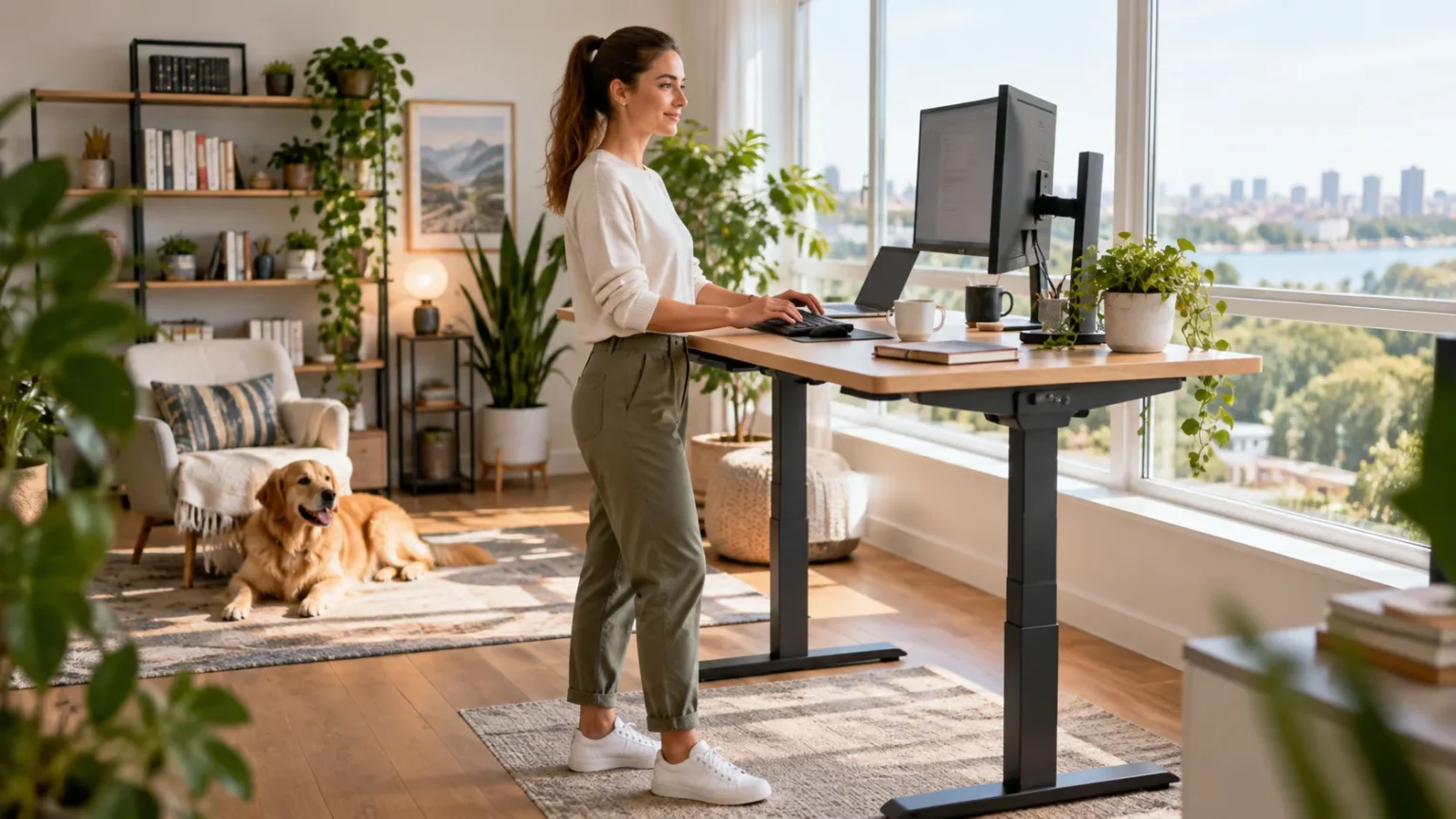
Sitting for long hours has become normal for many office workers, students, freelancers, and people working from home. A standing desk offers a simple way to change position during the day rather than remaining seated for several hours at a time. The main advantage is not standing continuously, but creating more opportunities to move and vary your working posture.
Standing desks, also called sit-stand desks or height-adjustable desks, allow you to switch between sitting and standing while keeping your computer and work materials at a comfortable height. This flexibility can help reduce prolonged sedentary time, encourage more frequent movement, and make the workday feel less physically restrictive. However, standing all day can create its own problems if the setup is poor.
Understanding the benefits of standing desk use can help you decide whether one fits your routine. Ergonomics, footwear, standing duration, monitor height, and movement breaks all influence how comfortable the setup feels. The following sections explain the key facts, potential advantages, limitations, and practical ways to use a standing desk effectively.
What Is a Standing Desk?
A standing desk is a workstation designed to let you work while standing rather than sitting in a traditional chair. Some models stay at a fixed standing height, while adjustable versions move between sitting and standing positions. Sit-stand desks are generally more flexible because they allow you to change posture throughout the day.
Standing desks come in several styles, including full electric desks, manually adjustable frames, desktop converters, and simple raised work surfaces. The best option depends on your workspace, budget, height, and equipment. Regardless of the model, the keyboard, mouse, and monitor should be positioned so you do not need to constantly shrug, reach, or bend your neck.
The purpose of a standing desk is not to replace sitting completely. Instead, it gives you another working position so you can avoid spending the entire day in one posture. Alternating between sitting, standing, and walking is usually more practical than treating standing as the only healthy way to work.
Standing Desks Can Reduce Prolonged Sitting
One of the clearest benefits of a standing desk is that it can help break up long periods of sitting. Many people remain seated for several hours while working, commuting, eating, and relaxing. Having an adjustable desk makes it easier to stand for part of the workday without stopping productive tasks.
Reducing continuous sitting does not require standing for hours at once. Even short standing periods can create a useful change in posture and encourage additional movement. You may naturally take more steps, shift your weight, refill water, or walk briefly when you are already working in a standing position.
The important factor is reducing uninterrupted sedentary time rather than trying to eliminate sitting completely. Sitting remains a normal and comfortable human position. The problem often comes from staying still for too long, so regular changes between sitting, standing, and movement may be a more realistic goal.
A Standing Desk May Help With Back Stiffness
Long periods of sitting can leave the lower and upper back feeling stiff, especially when you rarely change position. Standing periodically allows the hips and spine to move into a different posture. Some people find that this reduces the feeling of being compressed or tight after several hours at a desk.
A standing desk is not automatically a treatment for back pain. If you stand with an exaggerated lower-back arch, lean on one leg, or remain still for too long, discomfort can continue or even increase. Good setup and frequent changes in position are more important than simply replacing your chair with a standing workstation.
If back stiffness keeps returning, consider your entire routine rather than focusing only on the desk. Strength, mobility, sleep, exercise, workload, and previous injuries may all influence symptoms. Persistent or severe back pain should be professionally assessed rather than managed solely by increasing standing time.
Standing May Encourage Better Movement Habits
Standing often makes it easier to move than sitting. You can step away from the desk, shift your stance, stretch your legs, or walk across the room without first getting out of a chair. These small movements can help reduce the sense of stiffness that develops during long periods of desk work.
A sit-stand setup can also act as a reminder to change position regularly. For example, you might stand while answering emails, sit during focused writing, and walk during phone calls. Building movement into existing work tasks is often easier than trying to schedule separate exercise breaks throughout a busy day.
However, standing itself should not be confused with exercise. It requires more postural activity than sitting, but it does not provide the cardiovascular or strength benefits of purposeful physical activity. Walking, resistance training, stretching, and other exercise still matter even if you use a standing desk every day.
Can a Standing Desk Improve Posture?
A standing desk can support more varied posture, but it does not automatically create perfect alignment. You can still round your shoulders, push your head forward, or lean heavily on the desk while standing. The advantage is that an adjustable workstation gives you more options to reposition yourself when one posture becomes uncomfortable.
Monitor height is particularly important. The screen should generally be positioned so you can view it without repeatedly looking far downward or extending your neck. Your keyboard and mouse should also stay close enough that your shoulders remain relaxed rather than reaching forward for long periods.
Instead of trying to hold one ideal posture all day, focus on comfortable variation. Shift your weight, change foot position, sit when standing becomes tiring, and move regularly. Posture is dynamic, and the body usually responds better to frequent position changes than rigidly maintaining one technically correct pose.
Standing Desks May Reduce Hip and Pelvic Stiffness
Sitting keeps the hips in a flexed position for long periods, which can make the front of the hips or surrounding muscles feel stiff when you finally stand up. Alternating between sitting and standing changes hip position throughout the day. This may make transitions into walking and other movement feel easier for some people.
Prolonged sitting can also make discomfort around the pelvis, glutes, or lower back more noticeable in people who are already sensitive in those areas. Changing position may provide temporary relief, although standing desks do not directly treat pelvic conditions. Persistent pelvic pain should be evaluated based on its specific symptoms and causes.
Avoid assuming that more standing is always better for the hips or pelvis. Standing motionless for several hours can create its own fatigue, particularly around the lower back and legs. A balanced routine that combines sitting, standing, walking, and comfortable mobility is usually more sustainable.
Can Standing Desks Help With Energy and Focus?
Some people report feeling more alert when working while standing, particularly during periods when sitting makes them feel sluggish. Changing position can provide a small mental reset and may make repetitive tasks feel less monotonous. The movement involved in standing up can also encourage you to become slightly more active.
Standing may be particularly useful during tasks that do not require intense concentration, such as phone calls, video meetings, or reading short documents. More demanding work can still be performed while seated if that position feels more comfortable. The goal is to choose the position that helps you work effectively rather than forcing one approach.
Energy and concentration depend on many factors beyond desk height. Sleep, nutrition, stress, workload, room temperature, and regular breaks can all influence focus. A standing desk can support a more active work environment, but it should be viewed as one part of a broader productivity and wellness routine.
Does Standing Burn More Calories Than Sitting?
Standing generally requires slightly more energy than sitting because more muscles remain active to support your body weight. However, the difference is relatively small compared with walking, exercising, or performing physical work. A standing desk should therefore not be viewed as a major weight-loss strategy by itself.
The more meaningful benefit may come from what standing encourages you to do next. People who stand may find it easier to walk around, stretch, or complete small tasks away from their workstation. These additional movements can increase overall daily activity more than simply remaining upright without moving.
If your goal is better fitness or weight management, combine desk changes with regular physical activity. Walking breaks, resistance training, recreational exercise, and active transportation can have a much greater impact. A standing desk can support these habits, but it cannot replace them.
How Long Should You Stand at a Standing Desk?
There is no single standing schedule that works perfectly for everyone. If you are new to a standing desk, begin with short periods such as 15 to 30 minutes and then return to sitting. You can gradually increase standing time as your feet, legs, and back become accustomed to the new position.
Pay attention to early signs of fatigue. Aching feet, heavy legs, lower-back tension, or repeatedly shifting because you are uncomfortable may mean you have been standing too long. Sitting down is not a failure; it is simply another useful position that allows different muscles to rest.
Many people find alternating positions throughout the day more comfortable than following a strict schedule. You might stand for one task, sit for another, and take short walking breaks between them. Frequent changes are often more valuable than trying to reach a particular number of standing hours.
How to Set Up a Standing Desk Correctly
Start by adjusting the desk so your forearms can rest comfortably while typing without shrugging your shoulders. Your elbows should stay near your sides, and the mouse should be close enough that you are not repeatedly reaching forward. Wrist position should feel neutral rather than sharply bent upward or downward.
Position your monitor directly in front of you at a height that allows comfortable viewing. If the screen is too low, you may spend hours looking downward and creating unnecessary neck tension. Laptop users often benefit from raising the screen and using a separate keyboard and mouse when working for longer periods.
Your stance should also remain relaxed. Keep both feet supported, avoid locking your knees, and change weight distribution regularly. A supportive mat may improve comfort on hard floors, while comfortable footwear can reduce foot fatigue when you plan to stand repeatedly during the workday.
Common Standing Desk Mistakes to Avoid
Standing for the entire day is one of the most common mistakes. People sometimes assume that because sitting for long periods can be uncomfortable, standing continuously must be healthier. In reality, extended standing can contribute to tired feet, leg fatigue, lower-back discomfort, and general physical strain.
Another mistake is using a desk that is too high or too low. Poor desk height can make you shrug your shoulders, bend your wrists, or lean forward during computer work. Even small ergonomic problems can become noticeable when repeated for several hours each day.
Remaining completely still is another issue. Whether you are sitting or standing, the body generally benefits from movement and position changes. Shift your feet, walk briefly, stretch comfortably, and alternate between desk heights rather than treating the standing position as something you must hold perfectly.
Who May Benefit Most From a Standing Desk?
People who spend most of their working day at a computer may find an adjustable desk particularly useful. Office workers, remote employees, designers, writers, programmers, and students often spend several consecutive hours seated. A sit-stand desk gives them an easy way to introduce more movement without interrupting their work.
It can also be useful for people who feel stiff after prolonged sitting but do not want to take frequent long breaks. Standing for selected tasks allows work to continue while changing hip, knee, and spinal positions. The ability to adjust the workstation is generally more valuable than using a permanently elevated desk.
Standing desks are not equally comfortable for everyone. People with certain foot, balance, vascular, joint, or neurological problems may find prolonged standing difficult. If standing causes significant pain, swelling, dizziness, or worsening medical symptoms, speak with a healthcare professional about the most appropriate workstation setup.
How to Get the Most From a Standing Desk
Use your standing desk as a tool for variety rather than as a rule that requires you to remain upright. Start with manageable standing periods and increase them gradually. Switch positions before discomfort becomes significant instead of waiting until your feet or back are already sore.
Combine standing with short movement breaks whenever possible. Walk to refill water, take phone calls while moving, perform a few comfortable mobility exercises, or simply step away from the screen regularly. These habits can help reduce continuous sedentary time more effectively than standing motionless for hours.
Finally, make your setup easy to adjust. If switching desk height is inconvenient, you are less likely to use the standing function consistently. A workstation that moves quickly between comfortable sitting and standing positions makes it easier to build posture changes naturally into your normal workday.
Conclusion
The main benefits of standing desk use come from reducing prolonged sitting, encouraging more frequent movement, and giving you additional working positions throughout the day. Standing may also help some people feel less stiff after extended desk work and make it easier to transition into walking or other activities.
A standing desk works best when it is used in moderation. Alternate between sitting and standing, maintain comfortable desk and monitor heights, and avoid staying motionless in either position for hours. Regular movement remains more important than trying to maintain a single supposedly perfect posture.
Standing desks are useful tools, but they are not treatments for every type of pain or substitutes for exercise. Pay attention to how your body responds and adjust your routine accordingly. If standing consistently causes pain, swelling, numbness, or other unusual symptoms, professional guidance can help determine a more appropriate setup.
FAQs
Is It Better to Stand or Sit While Working?
Neither position needs to be used all day. Alternating between sitting, standing, and movement generally provides more variety and comfort than remaining continuously in either a seated or standing position.
How Many Hours a Day Should I Use a Standing Desk?
There is no universal target. Begin with short standing periods, such as 15 to 30 minutes, and alternate with sitting based on comfort rather than trying to reach a fixed daily total.
Can a Standing Desk Help With Back Pain?
Some people feel less stiff when they alternate between sitting and standing. However, standing desks do not treat all causes of back pain, and persistent or worsening symptoms should be professionally evaluated.
Are Standing Desks Good for Weight Loss?
Standing burns only slightly more energy than sitting, so it is unlikely to cause substantial weight loss alone. Walking, exercise, nutrition, and overall daily activity have a much greater influence.
Can Standing Too Long Be Bad for You?
Yes. Prolonged standing can cause foot discomfort, leg fatigue, and lower-back soreness. Change positions regularly, wear supportive footwear, and sit down when standing becomes uncomfortable rather than forcing yourself to remain upright.